Step by step
1
Pick the chat app
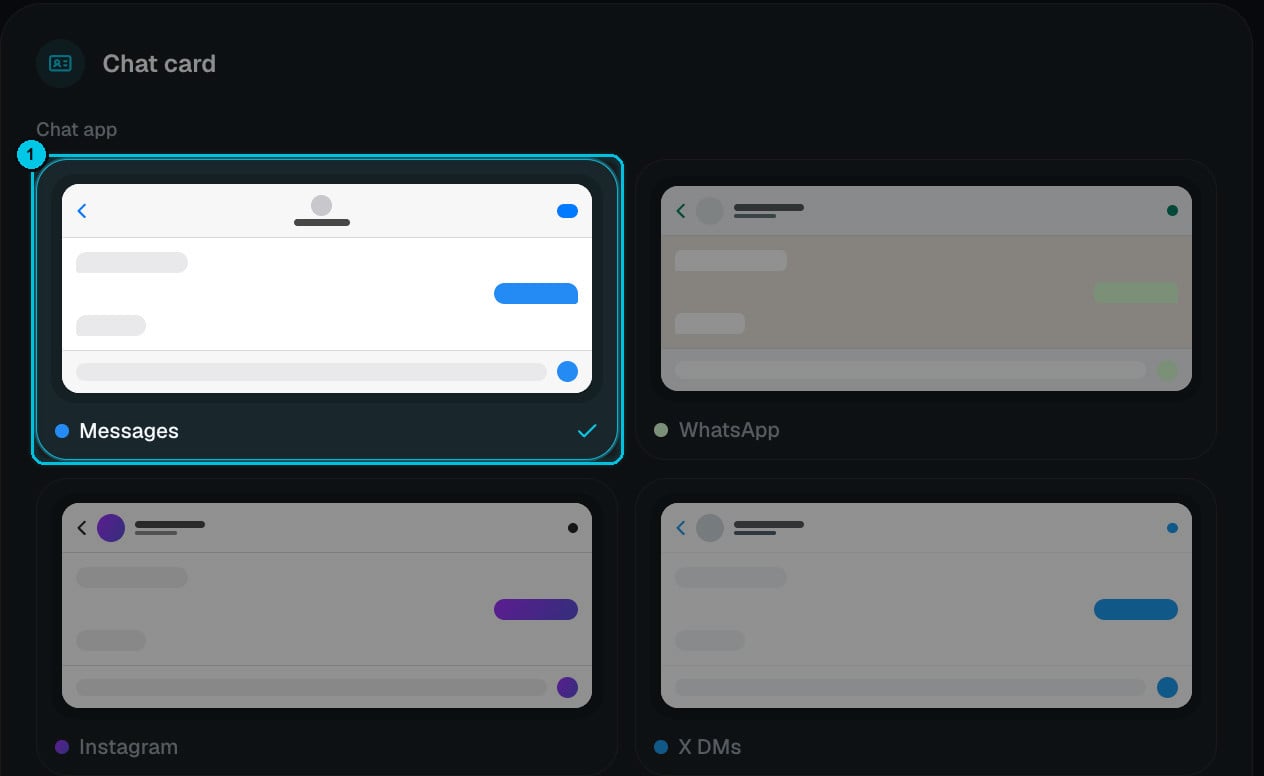
① Chat app
2
Style the chat card
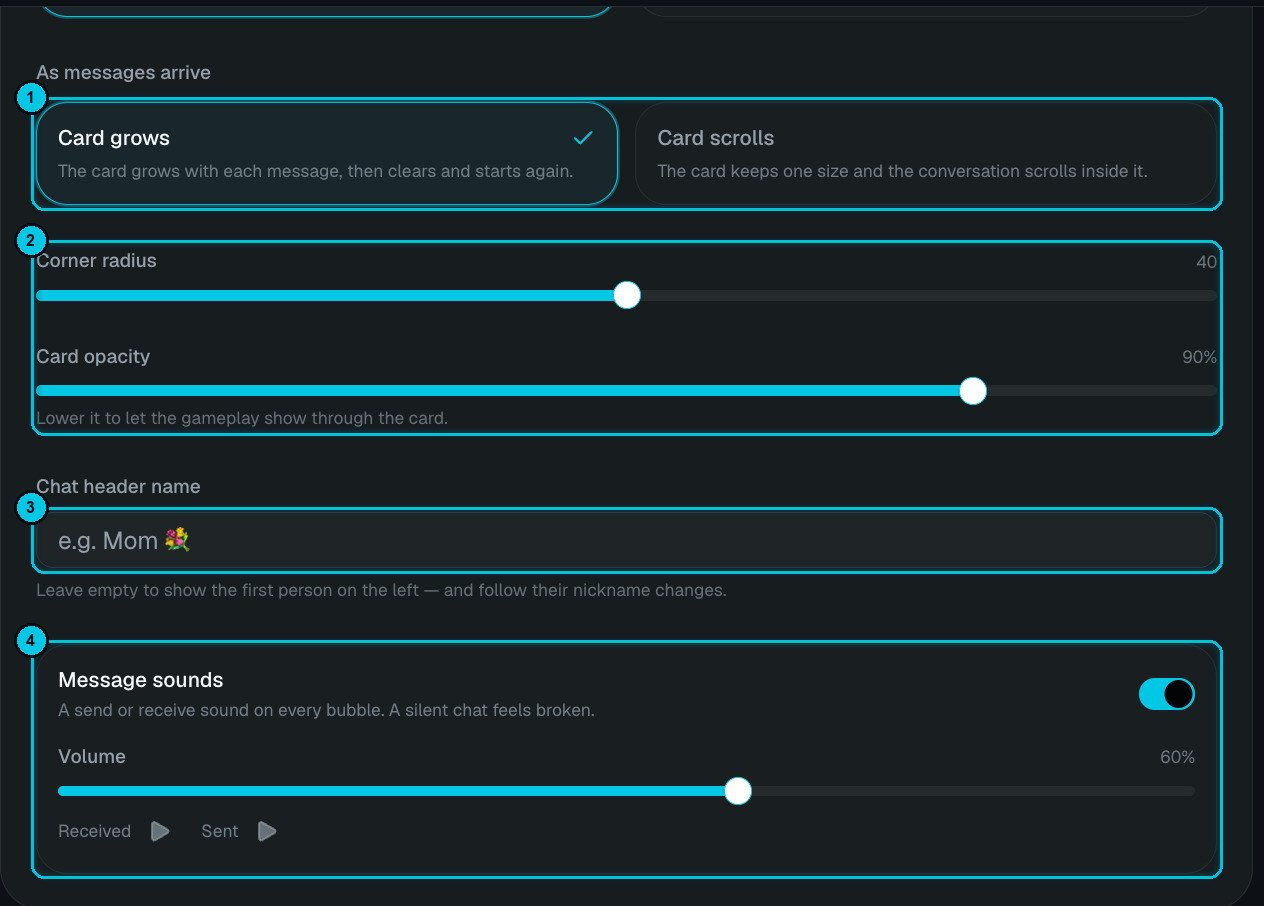
① Card grows / Card scrolls · ② Corner radius and opacity · ③ Chat header name · ④ Message sounds
- As messages arrive (①) — Card grows (the card grows with each message, then clears and starts again) or Card scrolls (the card keeps one size and the conversation scrolls inside it).
- Corner radius and Card opacity (②) — lower the opacity to let the gameplay show through the card.
- Chat header name (③) — the name at the top of the chat, for example Mom 💐. Leave it empty to show the first person on the left, following their nickname changes.
- Message sounds (④) — a send or receive sound on every bubble, with a volume slider and a preview of both sounds. A silent chat feels broken, so it’s on by default.
3
Write the conversation — or let AI do it
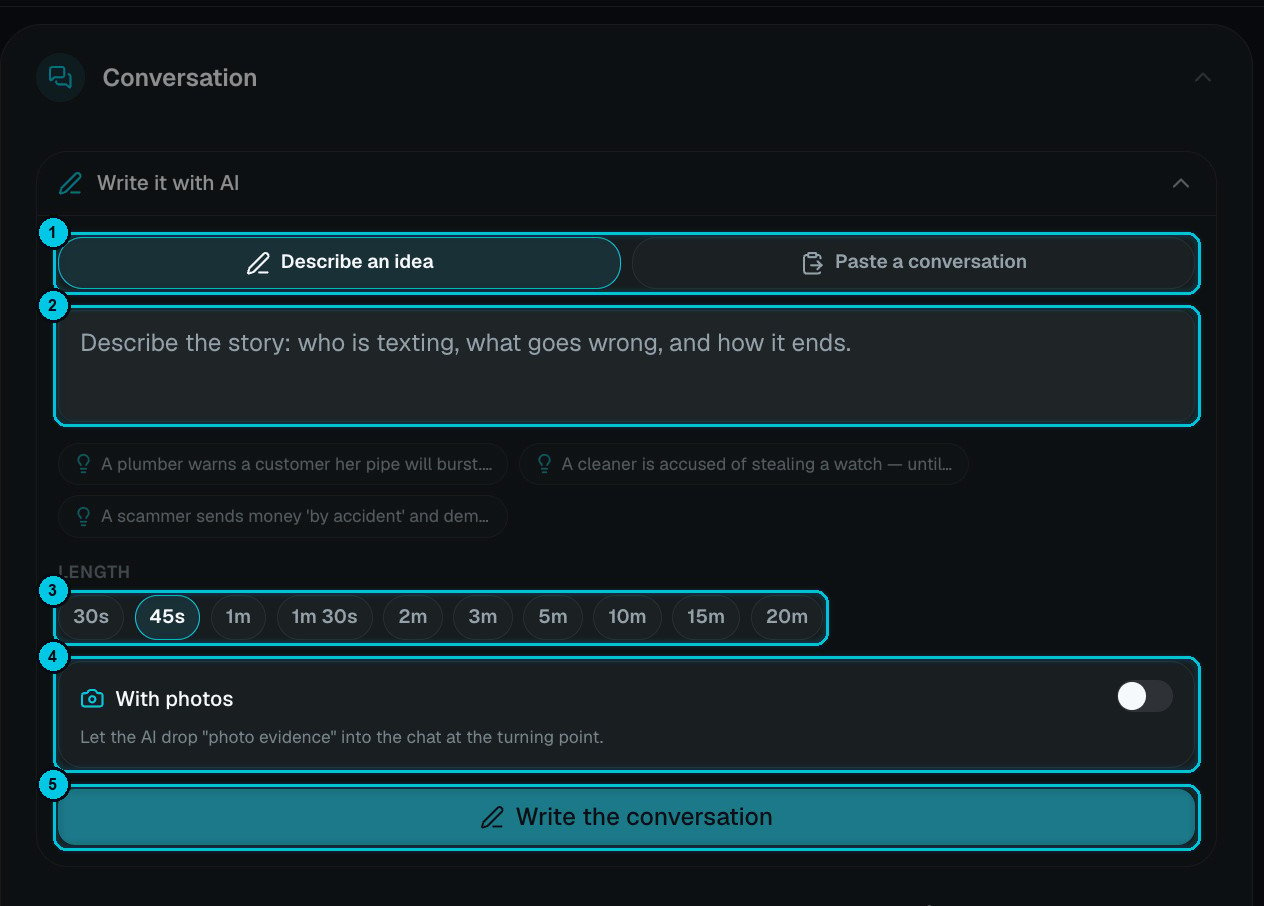
① Describe an idea / Paste a conversation · ② The idea · ③ Length · ④ With photos · ⑤ Write the conversation
- Describe an idea — who is texting, what goes wrong and how it ends. Starters help: A plumber warns a customer her pipe will burst…, A cleaner is accused of stealing a watch…, A scammer sends money “by accident”…
- Paste a conversation — paste a chat you already wrote. Your wording is kept and one line becomes one bubble, exactly as you wrote it. Direct a line with tags like
[angry],[sfx: boom]or[voice: Adam].
4
Cast who's texting
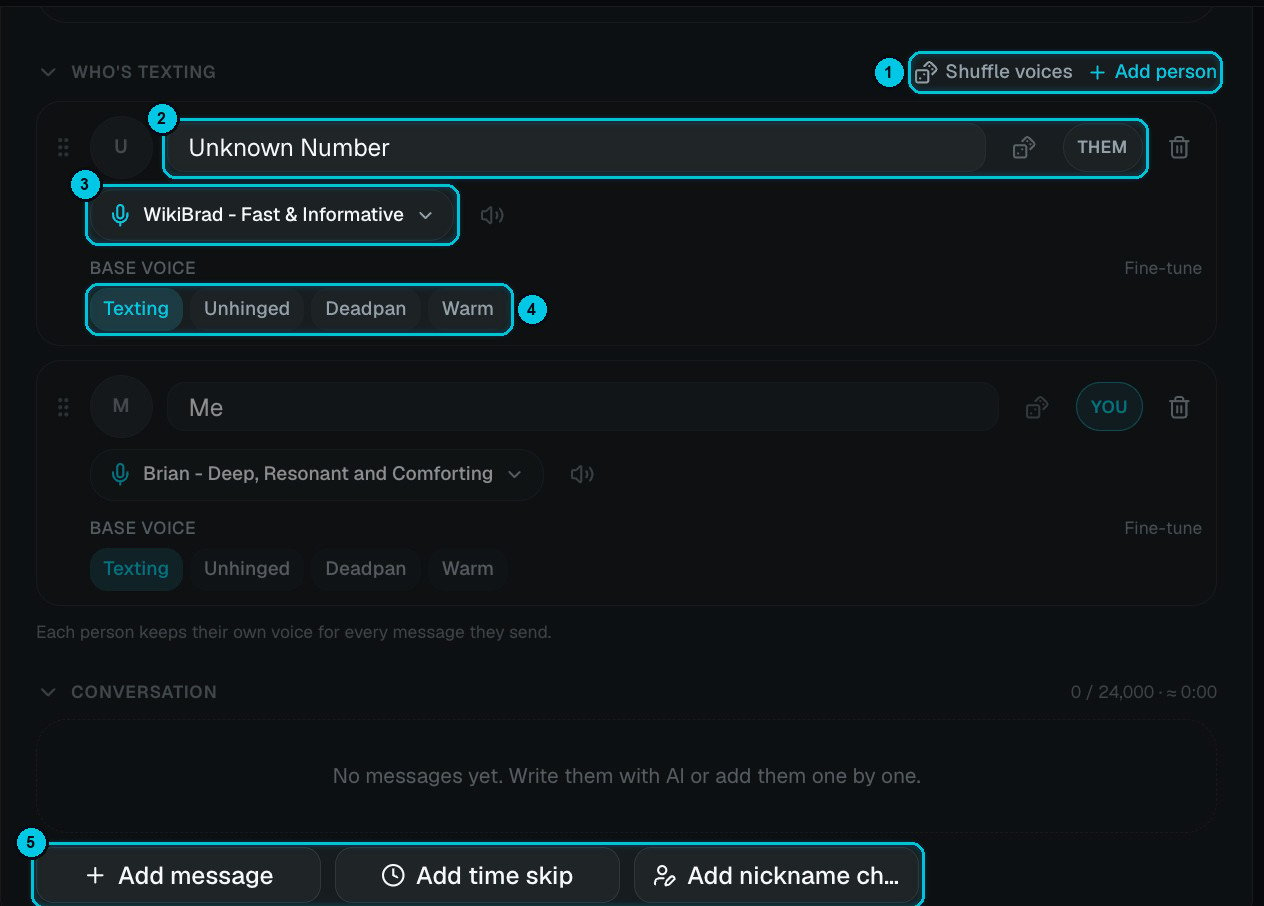
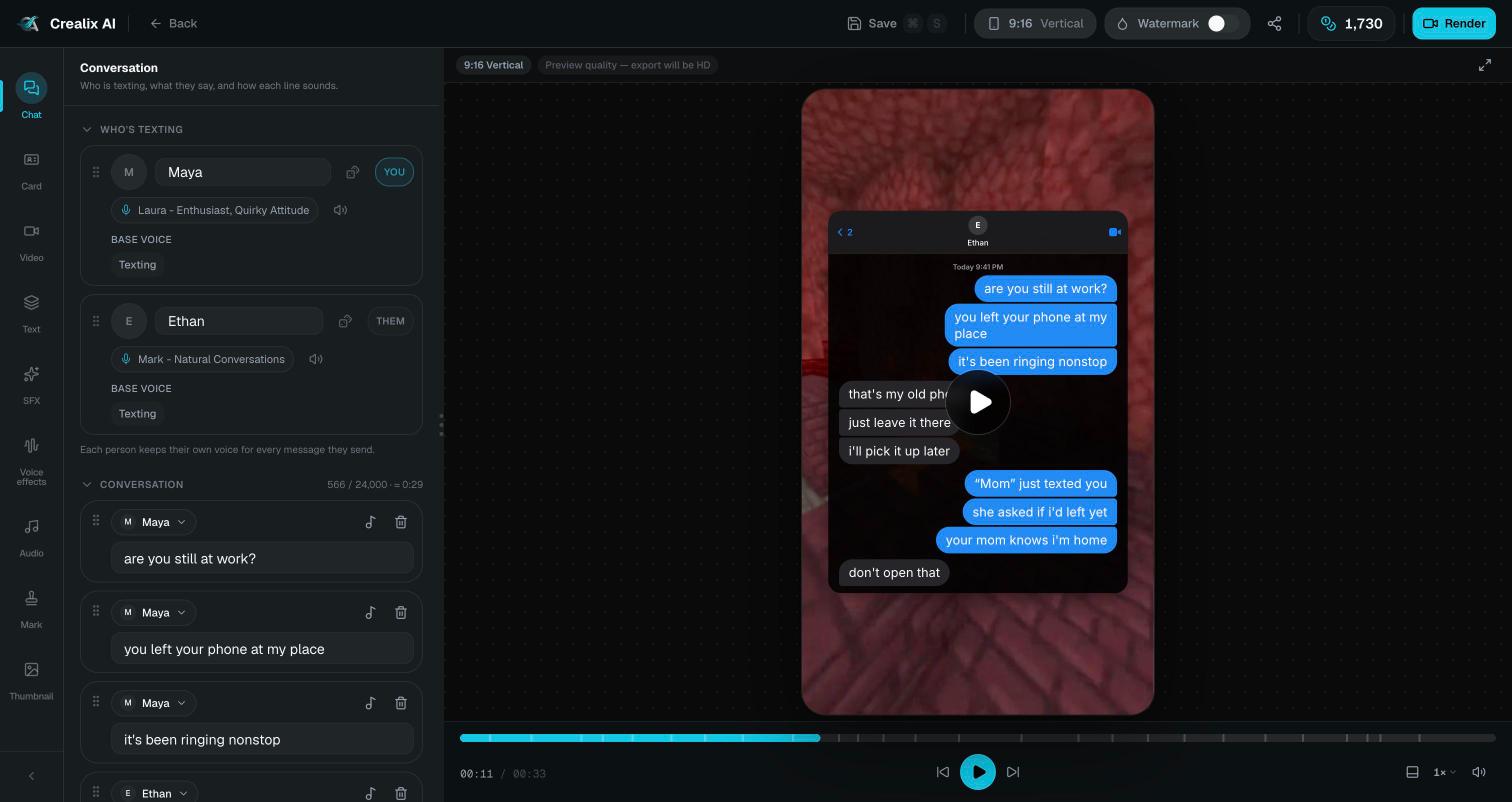
① Shuffle voices / Add person · ② Name and side · ③ Voice · ④ Base voice · ⑤ Add message, time skip or nickname change
- Every person has a name and a side (②): THEM (bubbles on the left) or YOU (bubbles on the right).
- Each person keeps their own voice (③) for every message they send. Shuffle voices (①) recasts everyone at once; Add person creates group chats.
- Base voice (④) sets the delivery: Texting, Unhinged, Deadpan or Warm. Fine-tune adjusts it further.
5
Edit the conversation by hand
Below the people, the Conversation list shows every message (up to 24,000 characters, with a running length estimate). Use the buttons (⑤ above):
- Add message — choose who sends it and type the text.
- Add time skip — a divider like 2 hours later… that jumps past the boring part.
- Add nickname change — rename a contact mid-chat (Mike → Liar 🤥), a classic reveal moment.
6
Background and music
Pick background gameplay (or upload your own) and music, then Create video.
Writing a chat that works
- The first message is the hook. “Why is your location at my sister’s house?” beats “Hey”.
- Short bubbles, fast rhythm. Real people send three short messages, not one long paragraph.
- Use time skips to jump past boring parts and build tension.
- Save the reveal — a photo, a nickname change or a final one-word reply — for the end.
Cost
You pay for the narration only — plus any AI photos if you turned on With photos. Writing the conversation with AI is free. Rendering is charged when you export (or free in your browser).Editing
The editor has a chat panel to edit messages, people, voices, time skips and the theme after generation.