

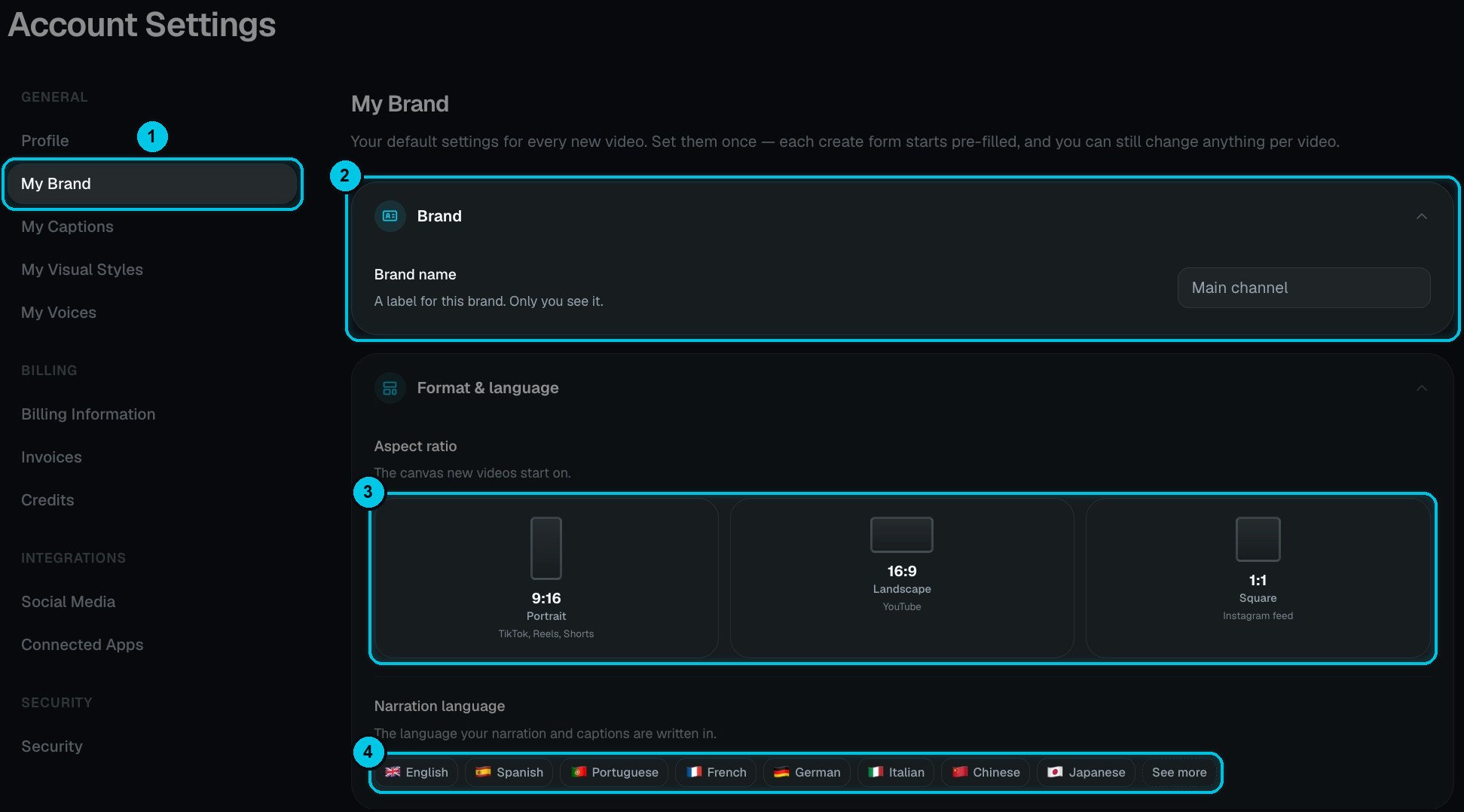
① My Brand in Settings · ② Brand name · ③ Default aspect ratio · ④ Narration language
The basics
- Brand name (②) — a label for your own reference, such as Main channel. Only you see it.
- Aspect ratio (③) — the canvas new videos start on: 9:16 for TikTok, Reels and Shorts, 16:9 for YouTube or 1:1 for the Instagram feed.
- Narration language (④) — the language your narration and captions are written in.
Voice, captions, music and style
Further down are the same pickers you know from the creators:- Voiceover — the narrator every video starts with, including your own cloned voices.
- Caption Style — a library preset or one of your own.
- Background Music — a library track, My Music or a custom upload.
- Visual Style — the look of AI-generated scenes: one of the 38 library styles or one of yours.
Reddit Stories identity
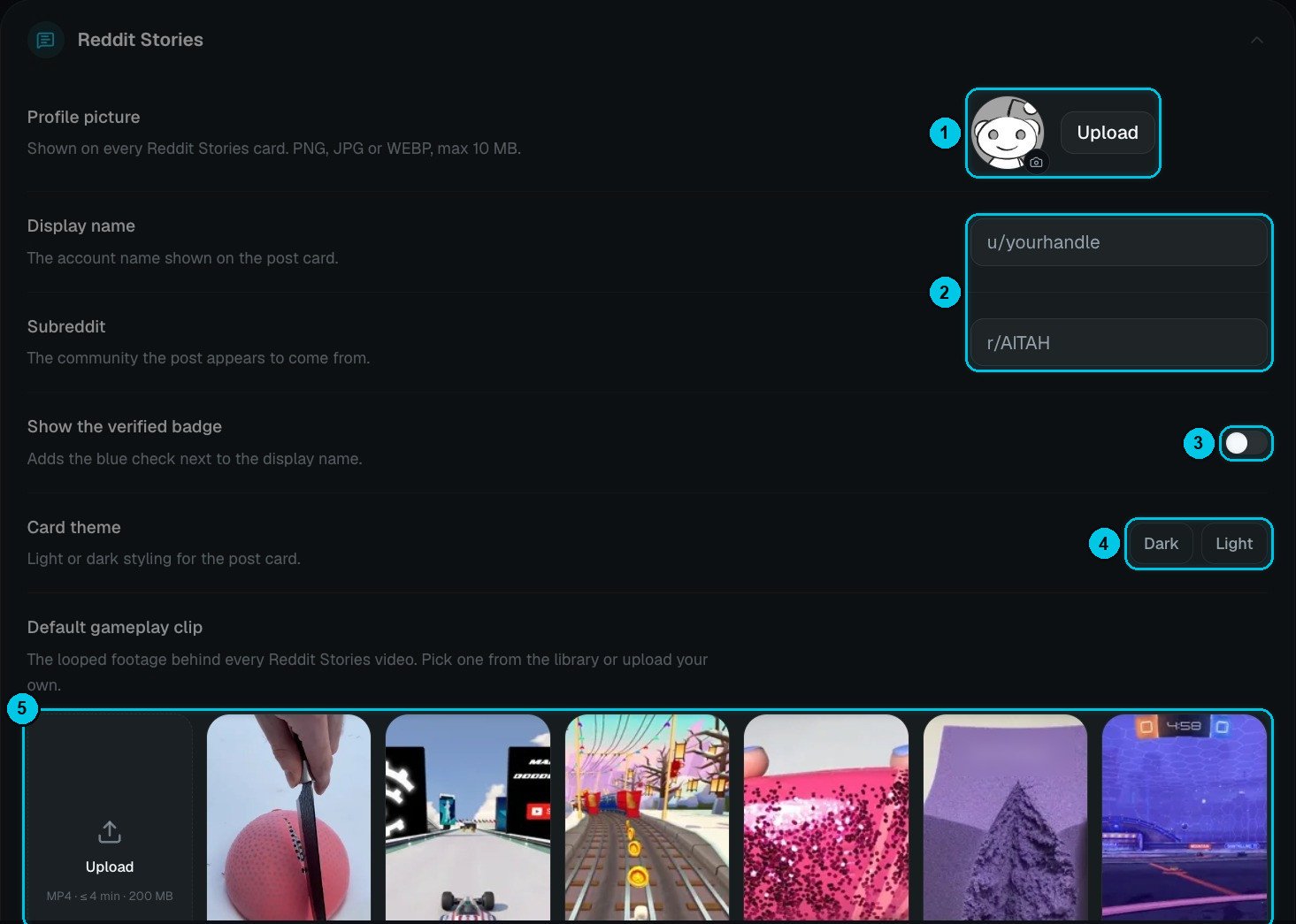
① Profile picture · ② Display name and subreddit · ③ Verified badge · ④ Card theme · ⑤ Default gameplay clip
Chat cast and Twitter / X identity
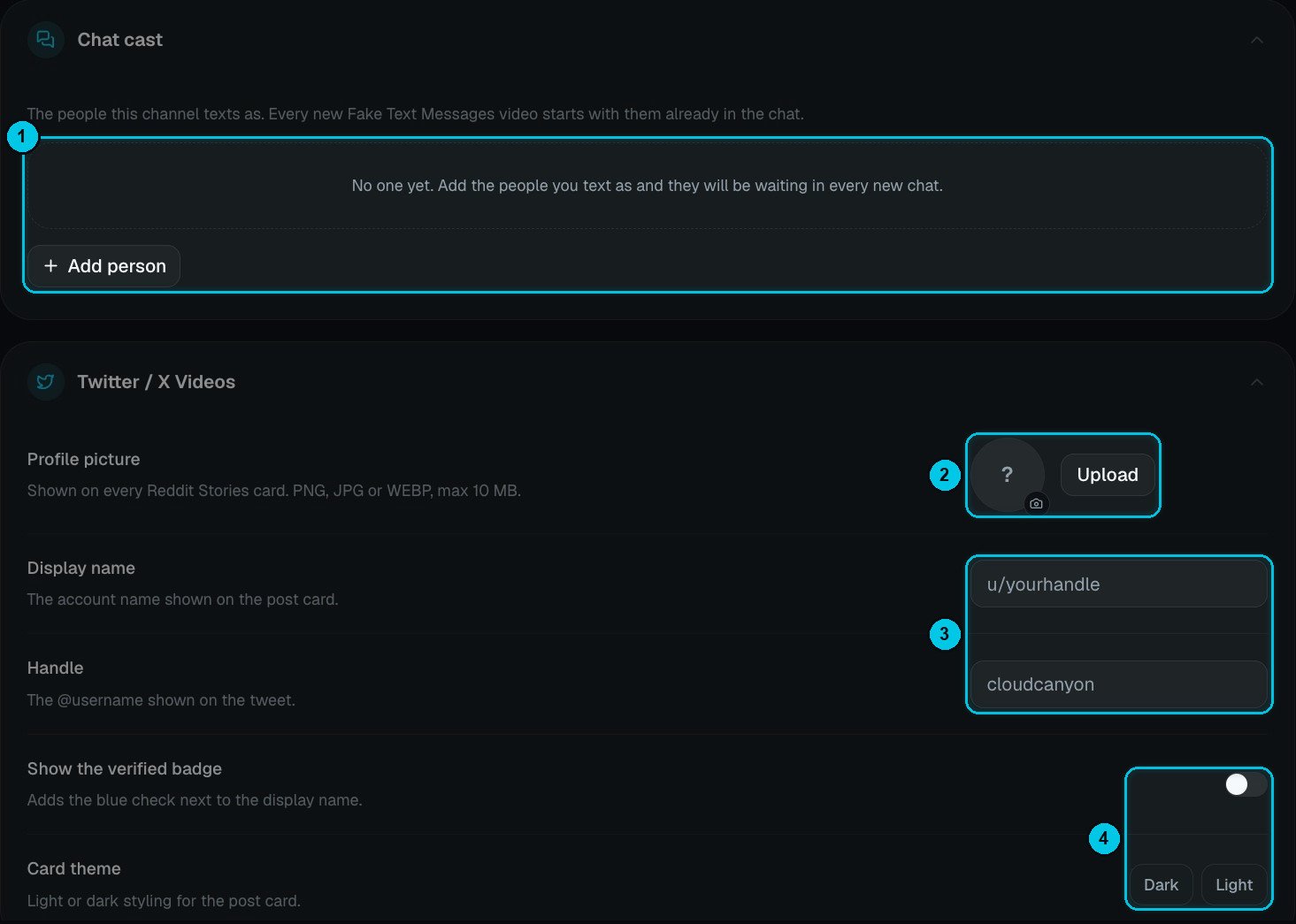
① Chat cast · ② Twitter profile picture · ③ Display name and @handle · ④ Verified badge and card theme
- Chat cast (①) — the people your channel texts as. Every new Fake Text Messages video starts with them already in the chat. Click Add person to add one.
- Twitter / X Videos (② ③ ④) — the profile picture, display name, @handle, verified badge and theme of the main tweet in Twitter Videos.
Your watermark
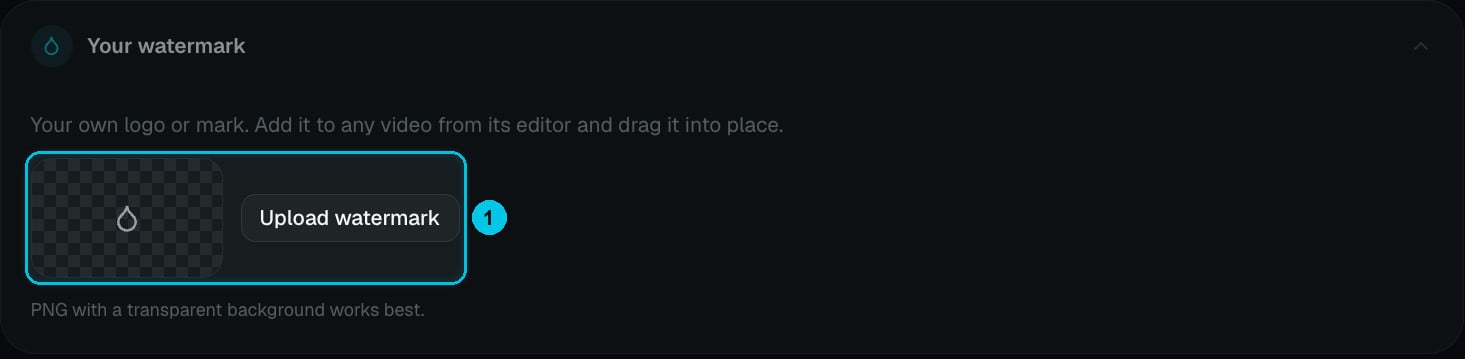
① Upload your watermark
Saving and using your brand
When you change anything, an Unsaved changes bar appears — click Save. In the creators:- Values that come from My Brand are marked with a My Brand chip.
- Reset to My Brand puts a field back to your default.
- Set as Brand default saves the choice you just made as your new default.