

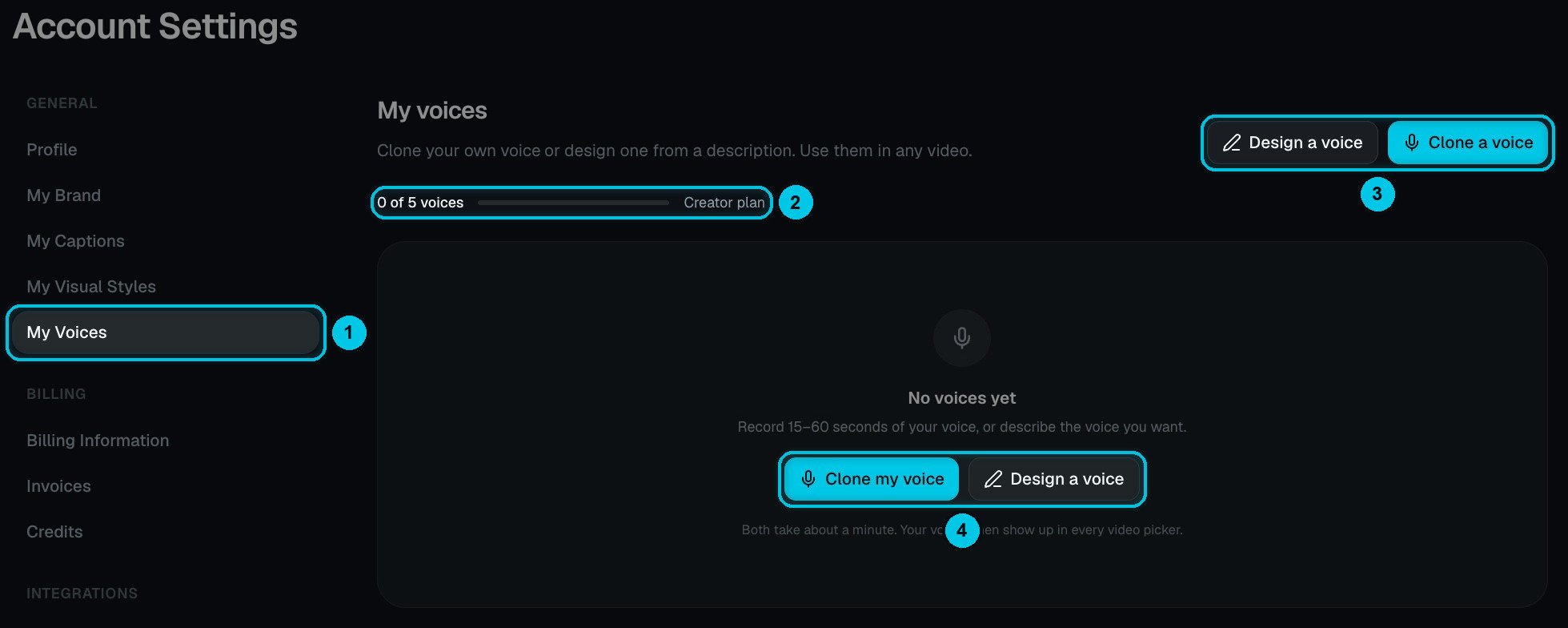
① My Voices in Settings · ② Voices used out of your plan · ③ Design a voice or Clone a voice · ④ The same two options when you have none yet
Clone your voice
Click Clone a voice. It takes about a minute, in three steps: Record, Details and Listen.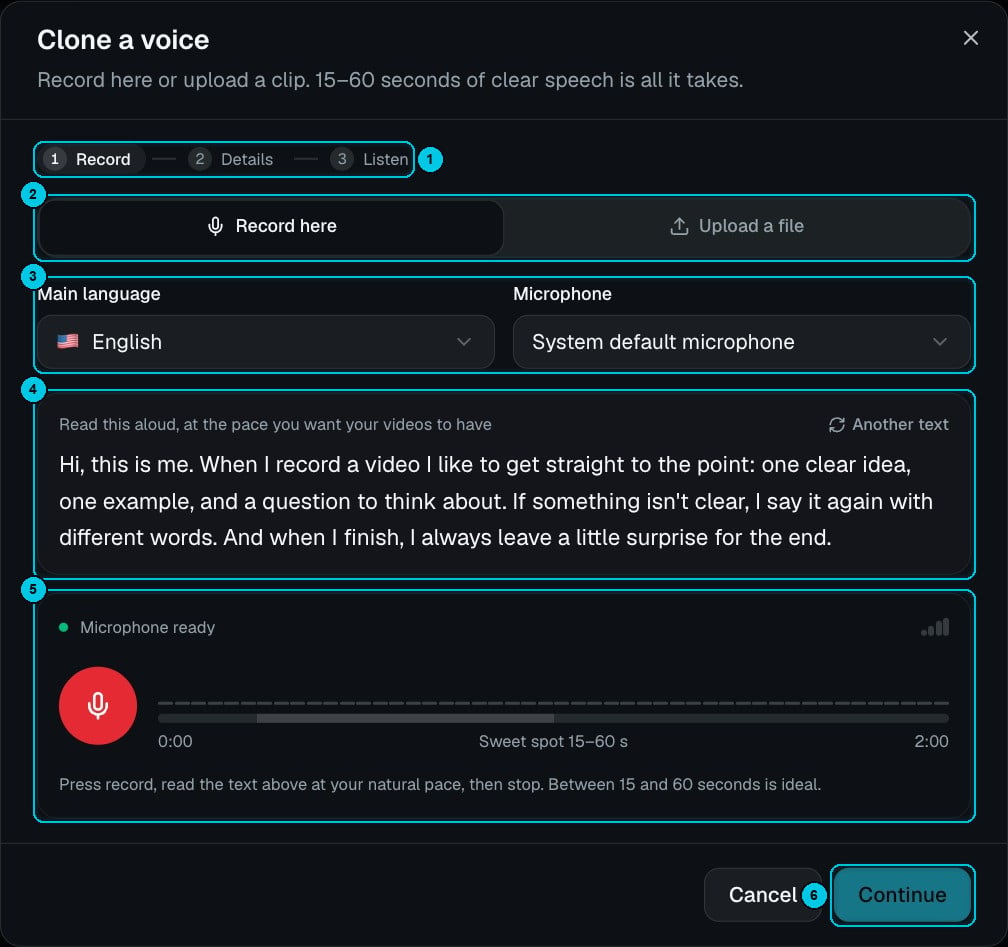
① The three steps · ② Record here or Upload a file · ③ Main language and microphone · ④ The text to read aloud · ⑤ The recorder · ⑥ Continue
1
Record or upload
Choose Record here and pick your microphone, or Upload a file (②). 15–60 seconds of clear speech is the sweet spot; the recorder stops at 2 minutes (⑤).
2
Read the sample text
Choose your main language (③), then read the text shown (④) at the pace you want your videos to have. Click Another text for a different passage.
3
Add the details and listen
Click Continue (⑥), name the voice, listen to the result and save it. Cloning costs 1 credit and is available on paid plans.
Design a voice
Don’t want to use your own voice? Describe one. Click Design a voice: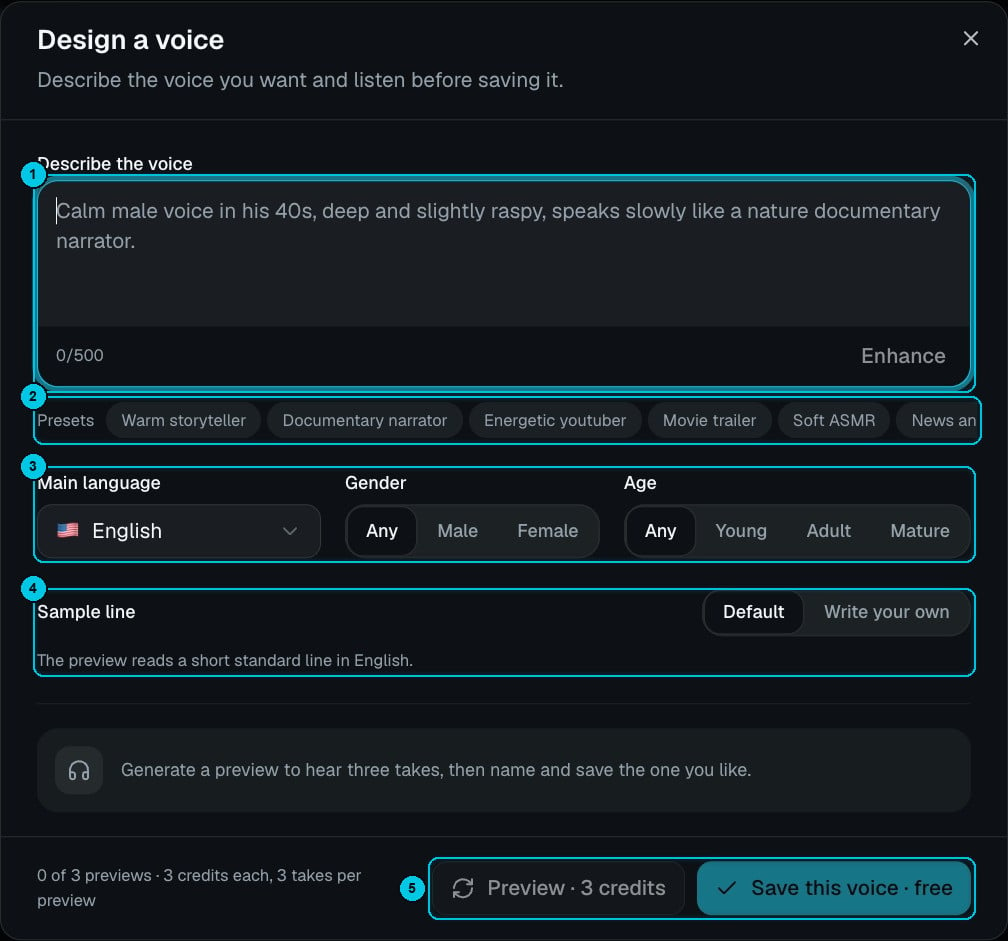
① Describe the voice · ② Presets · ③ Language, gender and age · ④ Sample line · ⑤ Preview and Save this voice
1
Describe it
Up to 500 characters (①) — for example: “Calm male voice in his 40s, deep and slightly raspy, speaks slowly like a nature documentary narrator.” Use Enhance, or start from a preset (②): Warm storyteller, Documentary narrator, Energetic youtuber, Movie trailer, Soft ASMR, News anchor and more.
2
Set language, gender and age
Choose the main language, the gender (Any, Male, Female) and the age (Any, Young, Adult, Mature) (③). Under Sample line (④), keep the default line or Write your own.
3
Preview and save
Preview generates three takes for 3 credits (⑤); you can preview up to three times. Pick the take you like and click Save this voice — saving is free.