

Your wallet
Open Settings › Credits (or click your balance).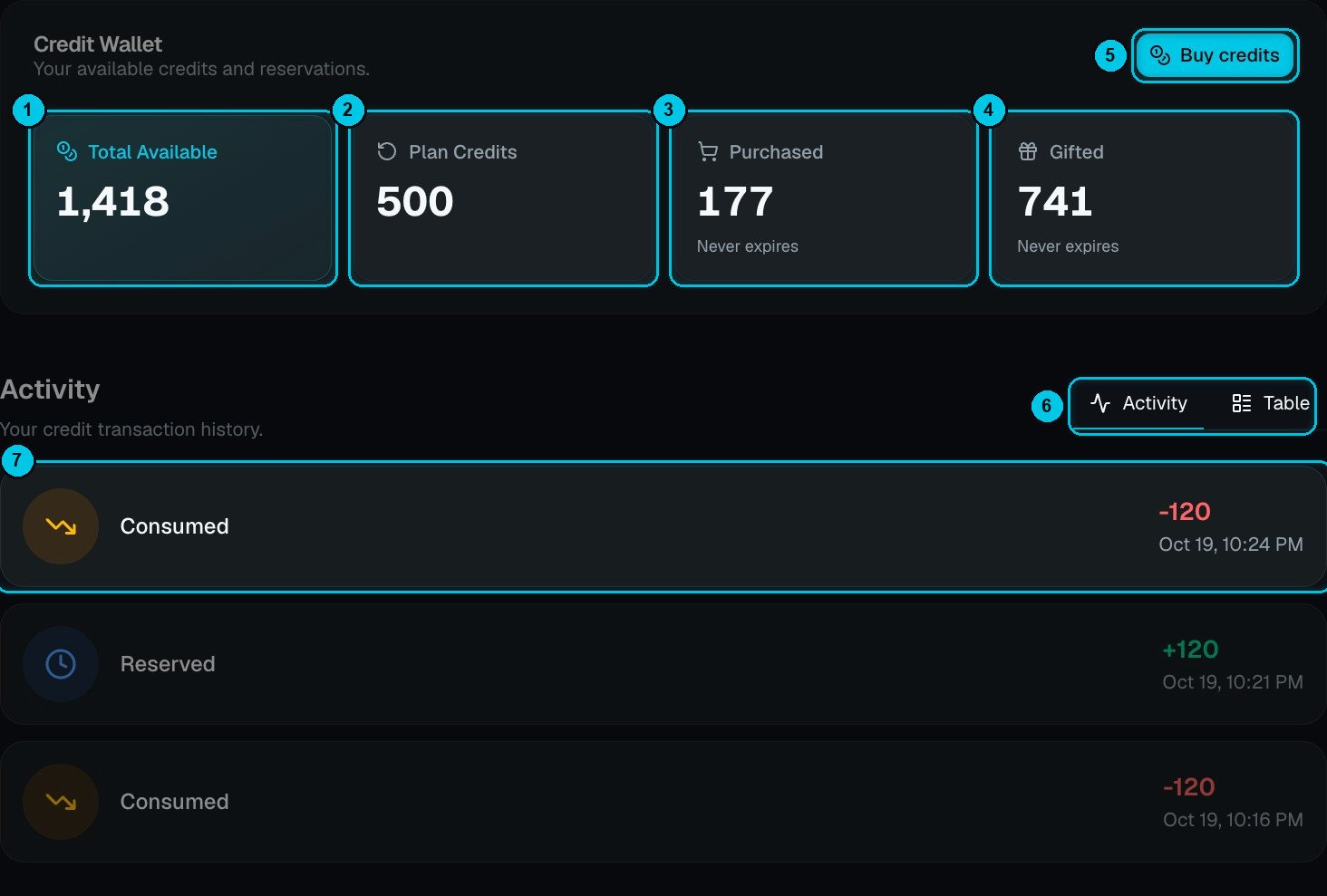
① Total available · ② Plan credits · ③ Purchased · ④ Gifted · ⑤ Buy credits · ⑥ Activity or Table view · ⑦ One movement
Credits are spent in this order: gifted, then plan, then purchased — so the credits that never expire are kept for last.
What costs credits
For example, a 1-minute video costs about 2 / 6 / 24 credits to cloud render at 720p / 1080p / 4K.
Character-heavy formats cost more because every scene is a generated video clip — for example a 60-second AI Drama or Talking Objects video is about 143 credits, an AI Skeleton video about 174, and an AI Movie about 273. The exact price is always shown before you confirm.
Reserved, settled, refunded
1
Reserved
When a generation starts, its quoted cost is reserved from your balance so you can’t overspend.
2
Settled on the actual cost
When it finishes, you’re charged for what was actually produced — never more than the quote. If the video came out shorter or used fewer scenes, the difference goes back to your balance.
3
Refunded on failure
If a generation fails, its credits are refunded automatically.
Activity
The Activity list (⑥ ⑦) shows every movement with its amount and time: credits reserved when something starts, consumed when it’s settled, and refunded when it fails or comes in under the quote — plus plan renewals, purchases and rewards. Switch to Table for a compact list you can page through.Running low?
- Buy a credit pack with Buy credits (⑤) — packs never expire.
- Upgrade your plan for a bigger monthly allowance.
- Export in your browser instead of the cloud — it’s free.
- Use Images first and animate only the scenes that matter.