

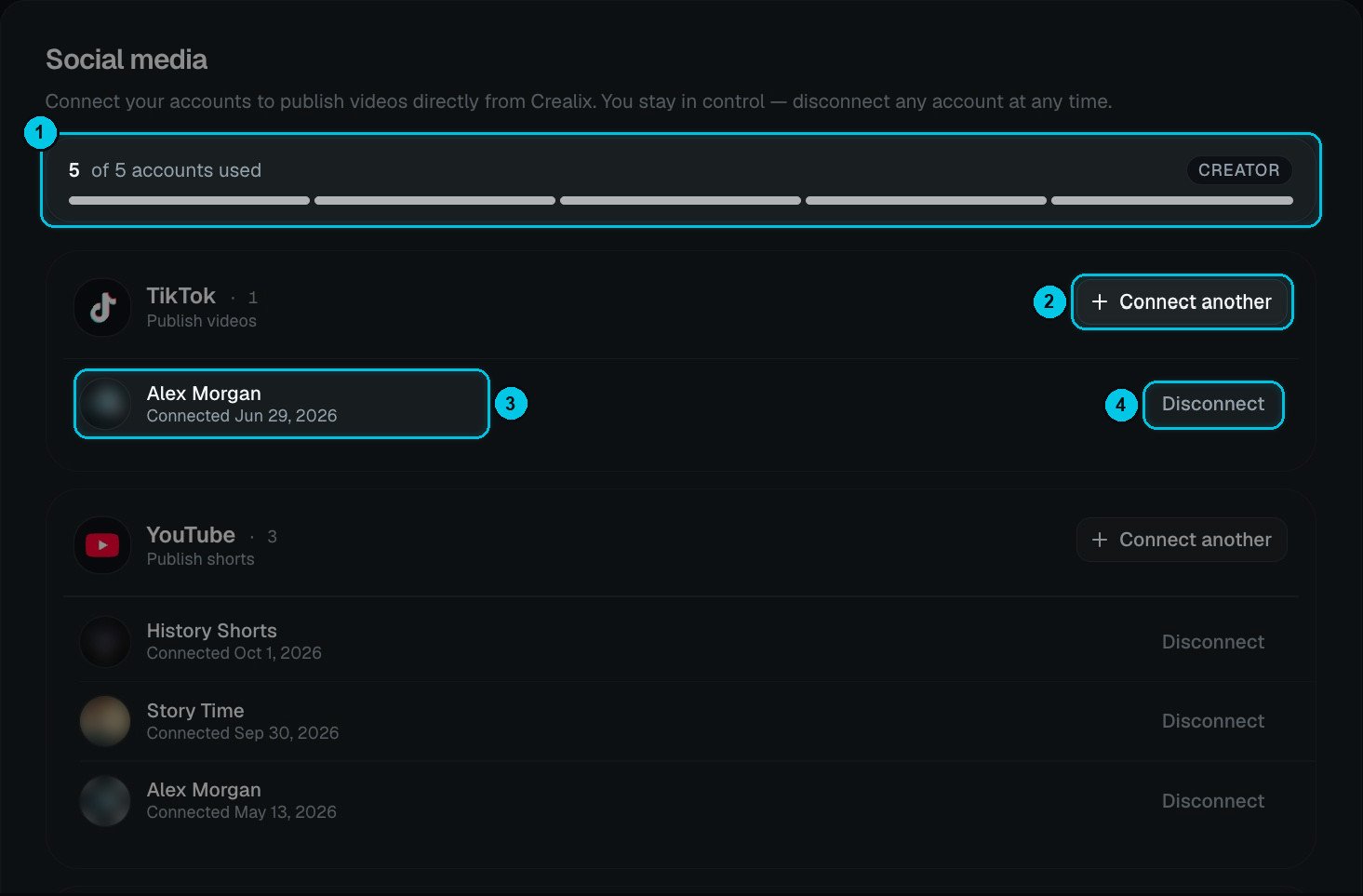
① Accounts used out of your plan · ② Connect another · ③ A connected account · ④ Disconnect
Connect an account
1
Pick the network
Click Connect on TikTok, YouTube or Instagram — or Connect another (②) to add one more account on a network you already use.
2
Sign in and allow access
You’re taken to the network’s own sign-in page. Sign in to the account you want and allow Crealix to publish videos.
3
Done
The account appears under its network (③) with the date it was connected, and in the publish panel.
Account limits by plan
The counter at the top (①) shows how many accounts you’ve connected out of your plan’s limit.Disconnect
Click Disconnect (④) on any account. Autopilot series that publish to it will show Needs attention until you reconnect it or choose another destination.Tokens are encrypted at rest, and Crealix only publishes when you ask it to — from the publish panel, or on the schedule of an Autopilot series you activated.