

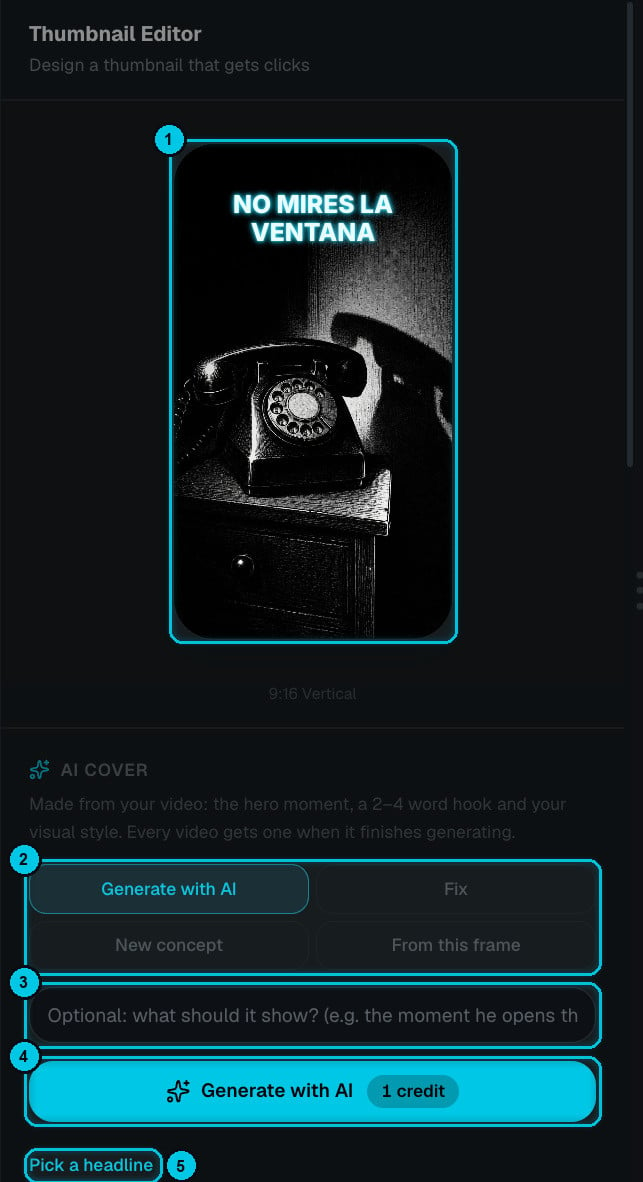
① Current cover · ② AI modes · ③ Optional direction · ④ Generate · ⑤ Pick a headline
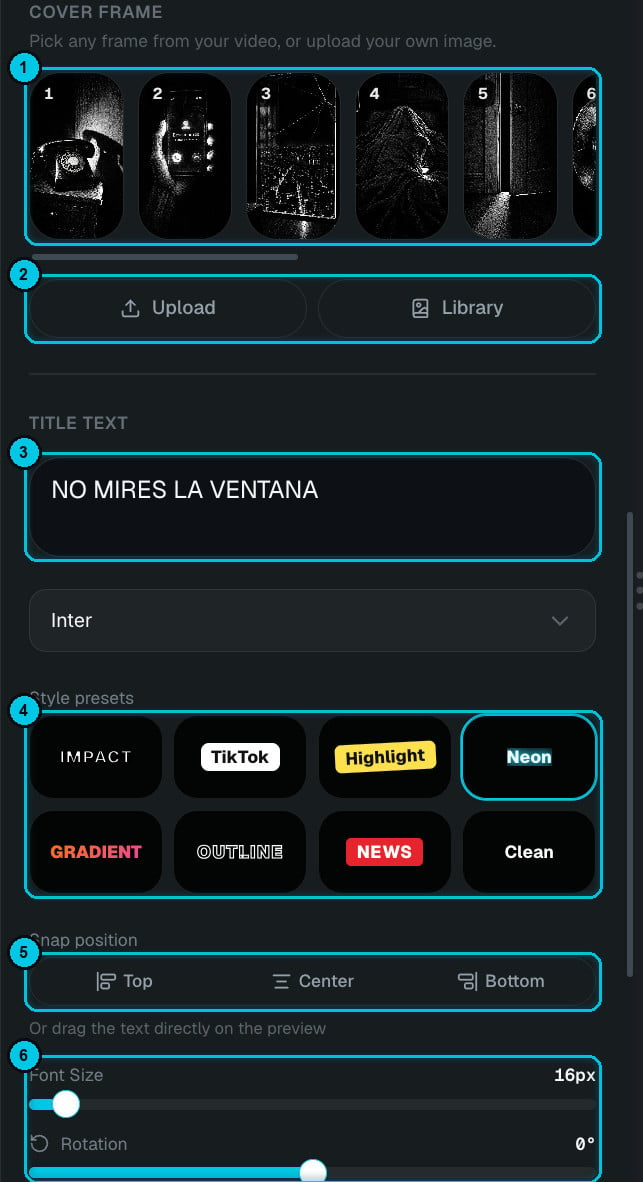
① Cover frame · ② Upload / Library · ③ Title text · ④ Style presets · ⑤ Position · ⑥ Size, rotation and colors
AI cover
Pick a mode (②), optionally describe what the cover should show (③), and click Generate with AI (④). The new cover replaces the current one (①).Design it by hand
Prefer full control? Scroll down the panel:1
Choose the background
Cover frame (①) lists a frame from every scene — click one to use it. Or Upload your own image, or pick one from your Library (②).
2
Write the headline
Type it in Title text (③) and choose a font.
3
Pick a style preset
(④) Impact, TikTok, Highlight, Neon, Gradient, Outline, News or Clean. Each preset sets colors, background and effects in one click.
4
Place and fine-tune it
Snap position (⑤) to Top, Center or Bottom, or drag the text directly on the preview. Then adjust font size, rotation, text color, text shadow and text background (⑥). Reset starts over.