

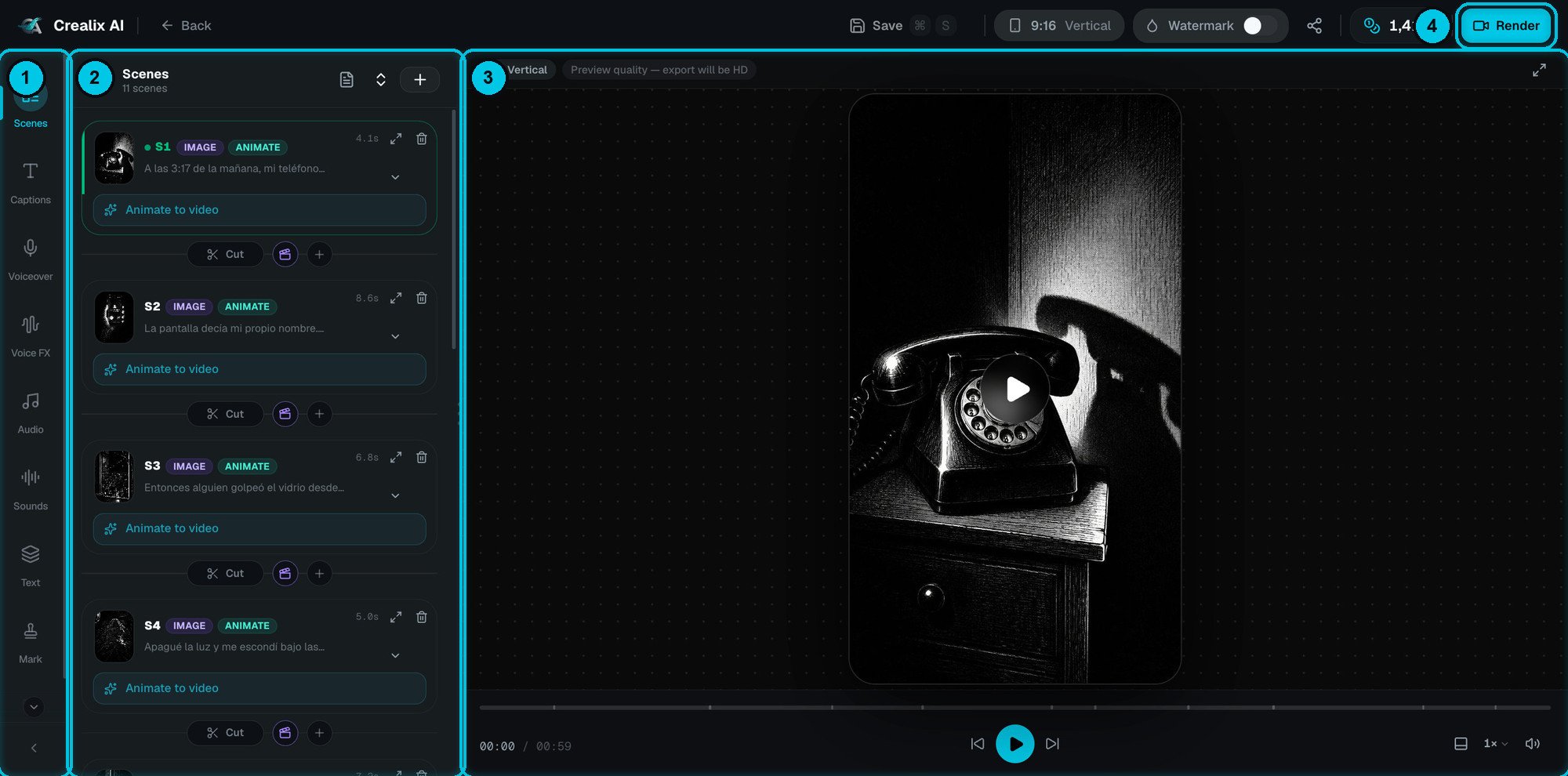
① Tool rail · ② Panel · ③ Preview · ④ Render
Layout
① Tool rail
The icons on the far left. Each one opens a different panel — scenes, captions, voice, music and more.
② Panel
The settings for the selected tool. Drag its edge to make it wider, or collapse it with the arrow at the bottom of the rail.
③ Preview
A live player with play/pause, previous/next scene, playback speed, volume and full screen. The ticks on the timeline mark scene boundaries.
The preview plays at preview quality to stay fast — the label above the player says so. Your export is rendered in full HD, or 4K with cloud render.
The tool rail
The top bar

① Save · ② Aspect ratio · ③ Watermark · ④ Share · ⑤ Credits · ⑥ Render
Back (top left) returns to your videos.
What’s free and what costs credits
Free
Editing text and timing, reordering scenes, captions and caption styles, music, voice effects, sound effects, overlays, your logo, transitions, camera effects, uploading your own media, and browser renders.
Uses credits
Anything that runs AI again: re-recording narration, regenerating a scene image, animating a scene into video, generating an AI cover, and cloud renders. The exact cost is always shown on the button before you click.
After rendering
When a render finishes, the editor switches to Your video is ready: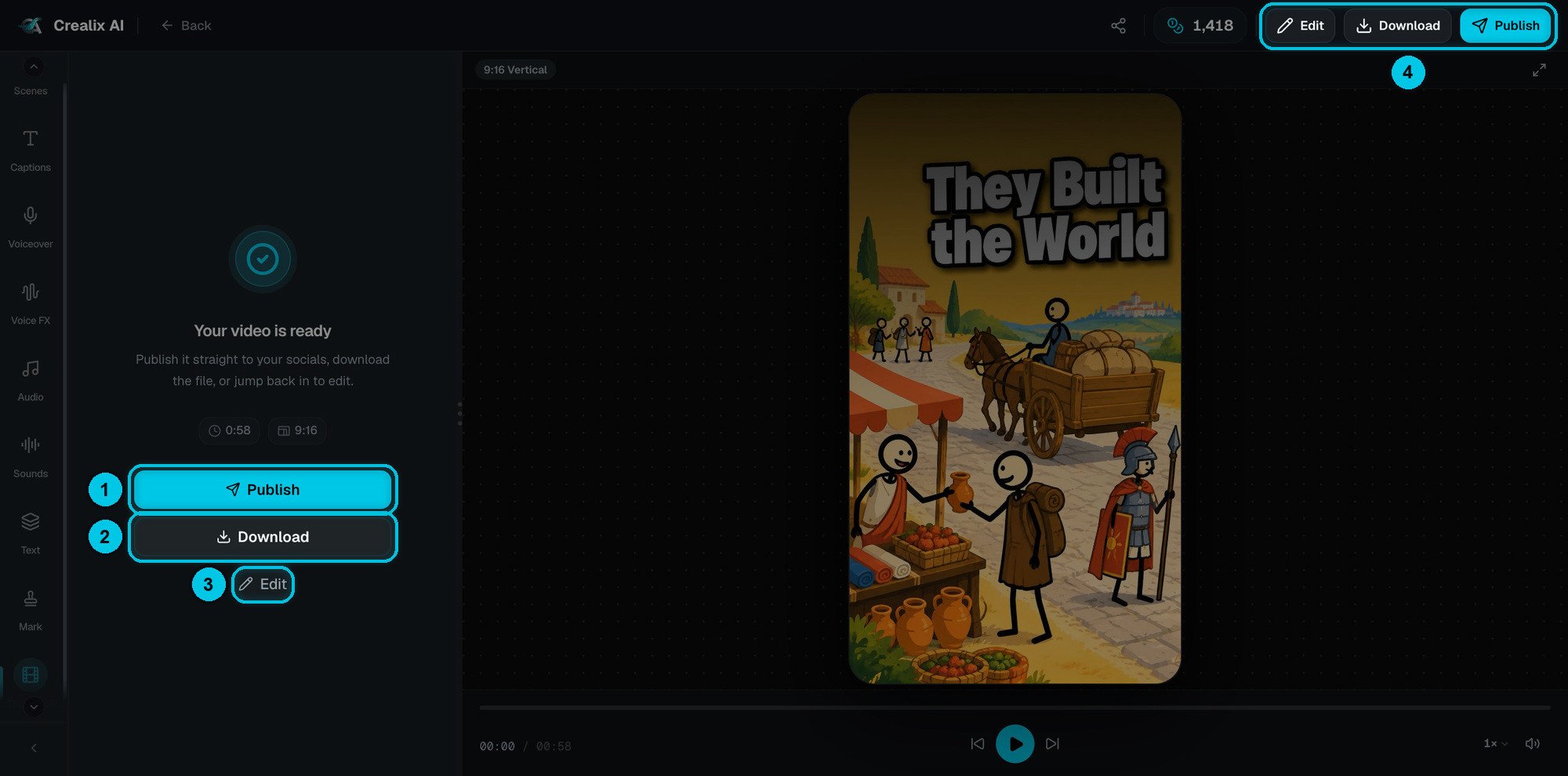
① Publish · ② Download · ③ Edit · ④ the same actions in the top bar
- Publish (①) sends the video straight to your connected TikTok, YouTube and Instagram accounts.
- Download (②) saves the MP4.
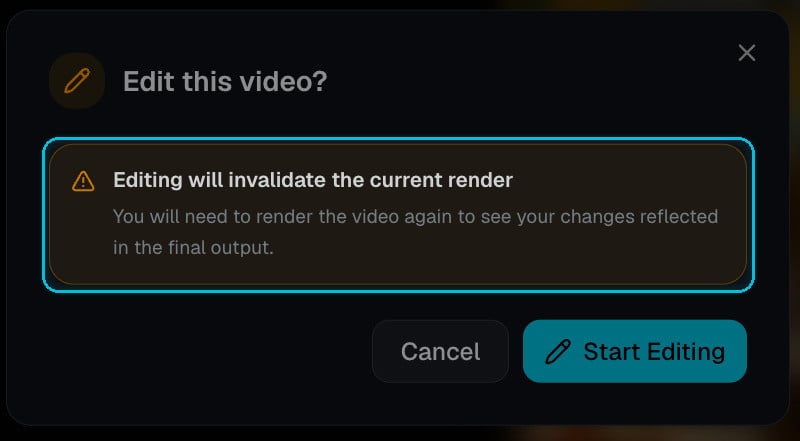
- Edit (③) goes back into the editor.
Format-specific panels
Some formats add their own panel to the rail:Reddit Stories
Edit the Reddit card, the story text and the background gameplay.
Fake Text Messages
Edit messages, people, voices, time skips and the chat theme.
Twitter Videos
Edit tweets, replies, the thread layout and the card theme.
Split Videos
Change both sources, the layout and the seam.