

Buy credits
Need more credits before your plan renews? Click Buy credits in Settings › Credits, or click your balance.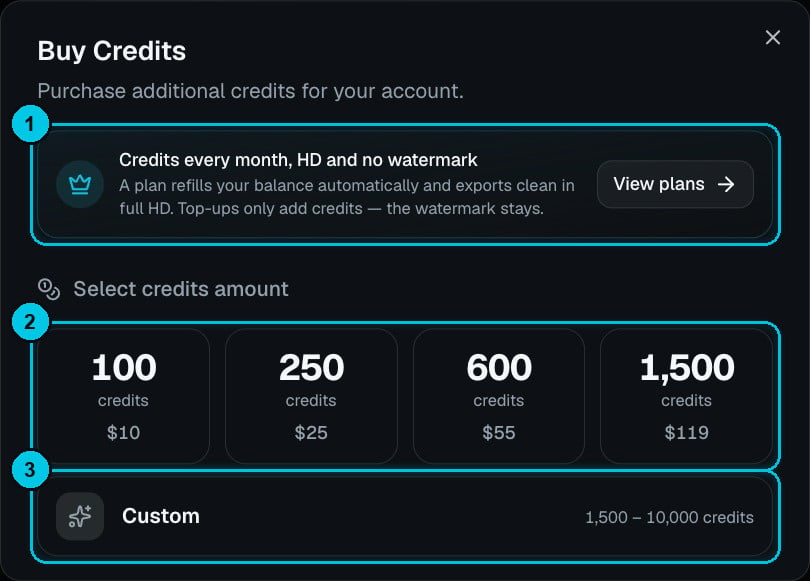
① A plan refills every month and removes the watermark · ② Credit packs · ③ Custom amount
Pick a pack and complete the payment. The credits land in your Purchased bucket straight away, never expire, and are spent after your gifted and plan credits.
Credit packs add credits only (①). Exporting without the Crealix watermark, rendering, publishing and Autopilot come with a plan — and a plan also refills your balance every month, which works out cheaper per credit.
Billing information
Settings › Billing Information shows your current plan, your next renewal date and your payment method. From here you can:- Change plan — upgrade, downgrade or switch between monthly and annual. See Change or cancel your plan.
- Update your payment method.
- Cancel your subscription.