

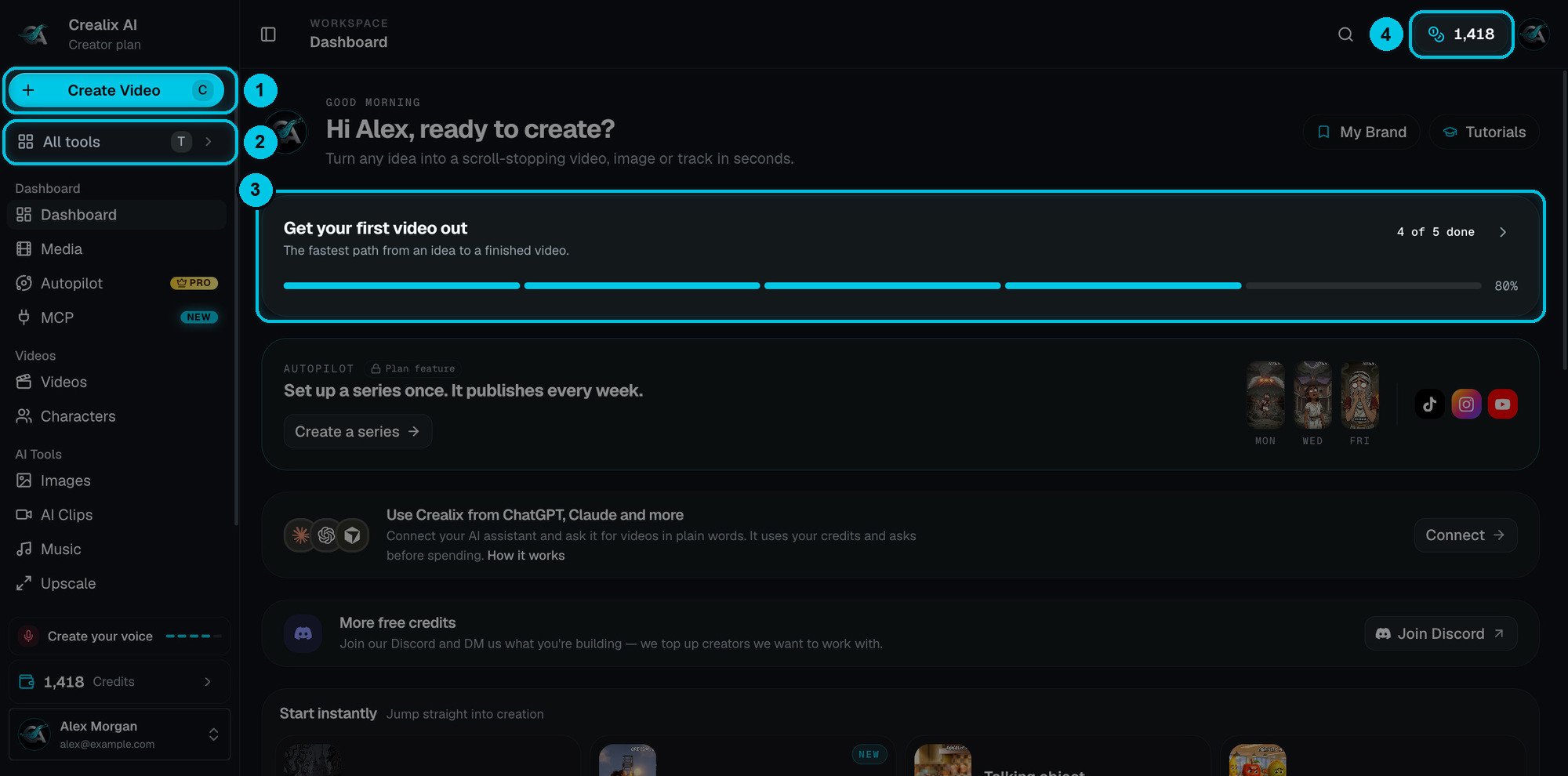
① Create Video · ② All tools · ③ Getting-started checklist · ④ Your credits
The sidebar
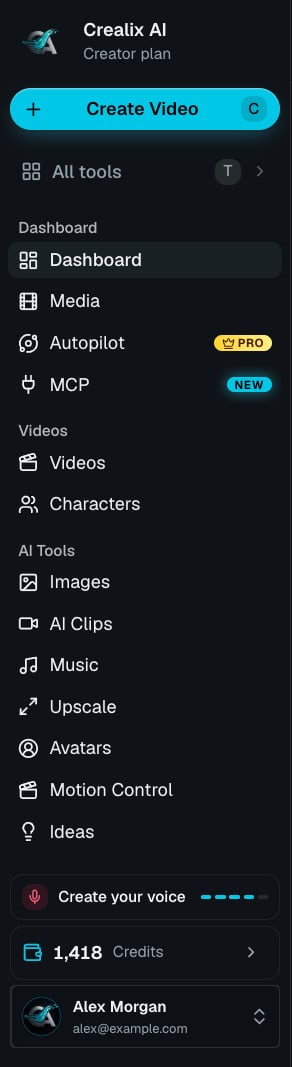
The full sidebar
The dashboard
The dashboard is built to get you from idea to published video quickly:- Get your first video out — a five-step checklist with a progress bar. Some steps reward you with bonus credits.
- Autopilot — set up a series once and it publishes every week to TikTok, Instagram and YouTube.
- Use Crealix from ChatGPT, Claude and more — click Connect to link an AI assistant.
- More free credits — join the Discord and tell the team what you’re building.
- Start instantly — one-click entry points into the most popular formats.
- My Brand and Tutorials buttons in the header.
The top bar

Command palette
Click the magnifying glass to open a palette with every page in the app — dashboard areas, every format, and every settings page. Type a few letters to filter, use the arrow keys, and press Enter to go.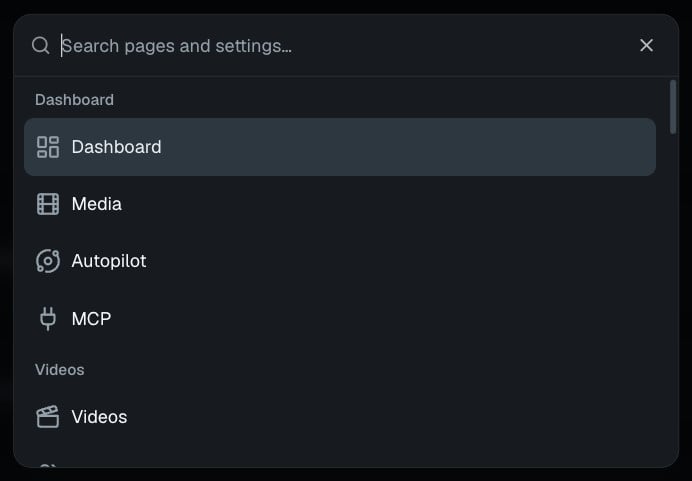
All tools
Press T (or click All tools) to open a panel with every way to create a video.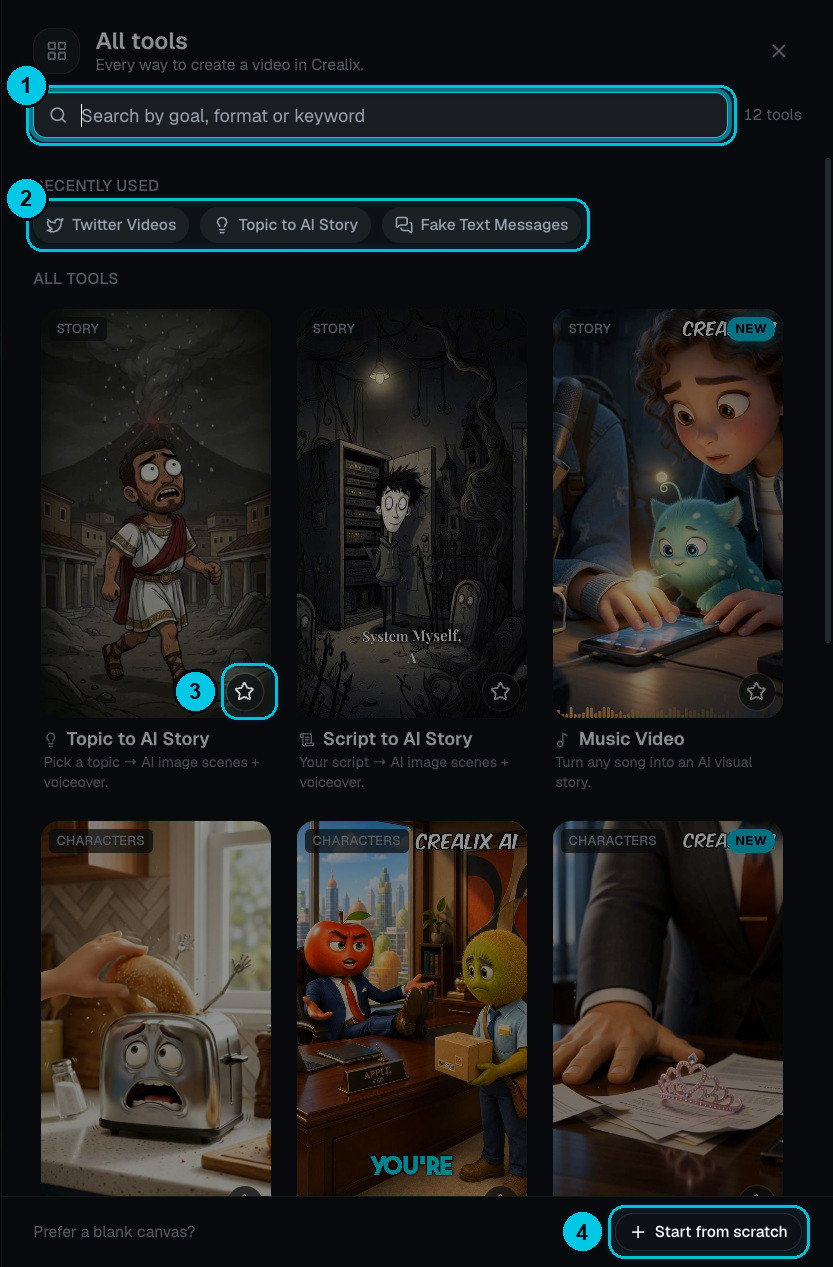
① Search · ② Recently used · ③ Star a favourite · ④ Start from scratch
- Search (①) by goal, format or keyword — for example “reddit”, “song” or “skeleton”.
- Recently used (②) jumps back to the formats you opened last.
- Every card shows a short description and a category tag (Story, Characters, Social, Stock). Click the star (③) to pin a favourite.
- Start from scratch (④) opens a blank Studio project where you build every scene yourself.
Your account menu
Click your name at the bottom of the sidebar.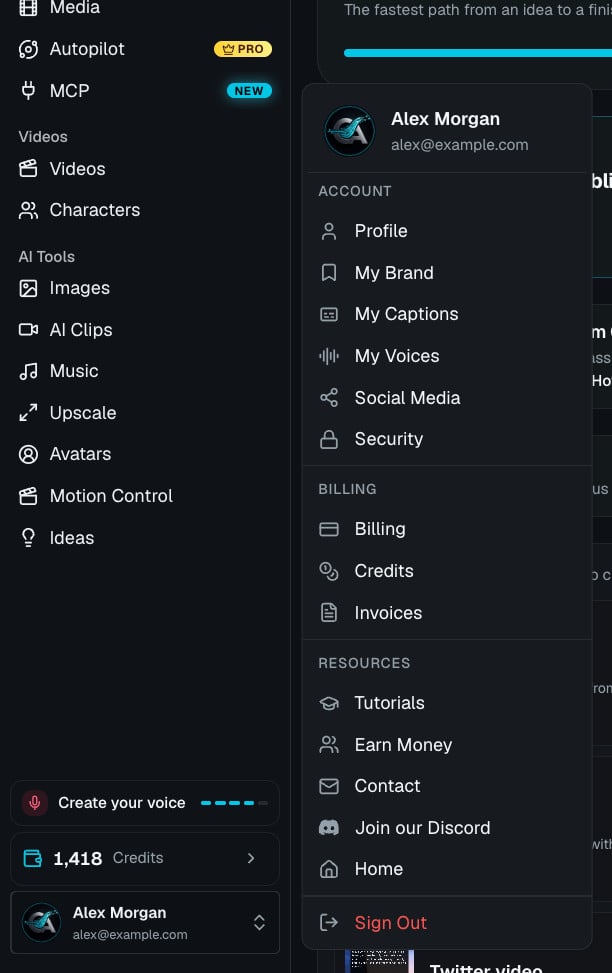
Account
Account
- Profile — your name, photo and email.
- My Brand — default voice, style, captions, music and logo for new videos. Learn more
- My Captions — your saved caption styles. Learn more
- My Voices — cloned and designed voices. Learn more
- Social Media — connect TikTok, YouTube and Instagram. Learn more
- Security — active sessions and sign-in methods.
Billing
Billing
- Billing — your plan, payment method and plan changes. Learn more
- Credits — your wallet and every credit movement. Learn more
- Invoices — download receipts for every payment.
Resources
Resources
- Tutorials — step-by-step videos. Learn more
- Earn Money — the affiliate program. Learn more
- Contact, Join our Discord and Home (the Crealix website).
- Sign Out.