

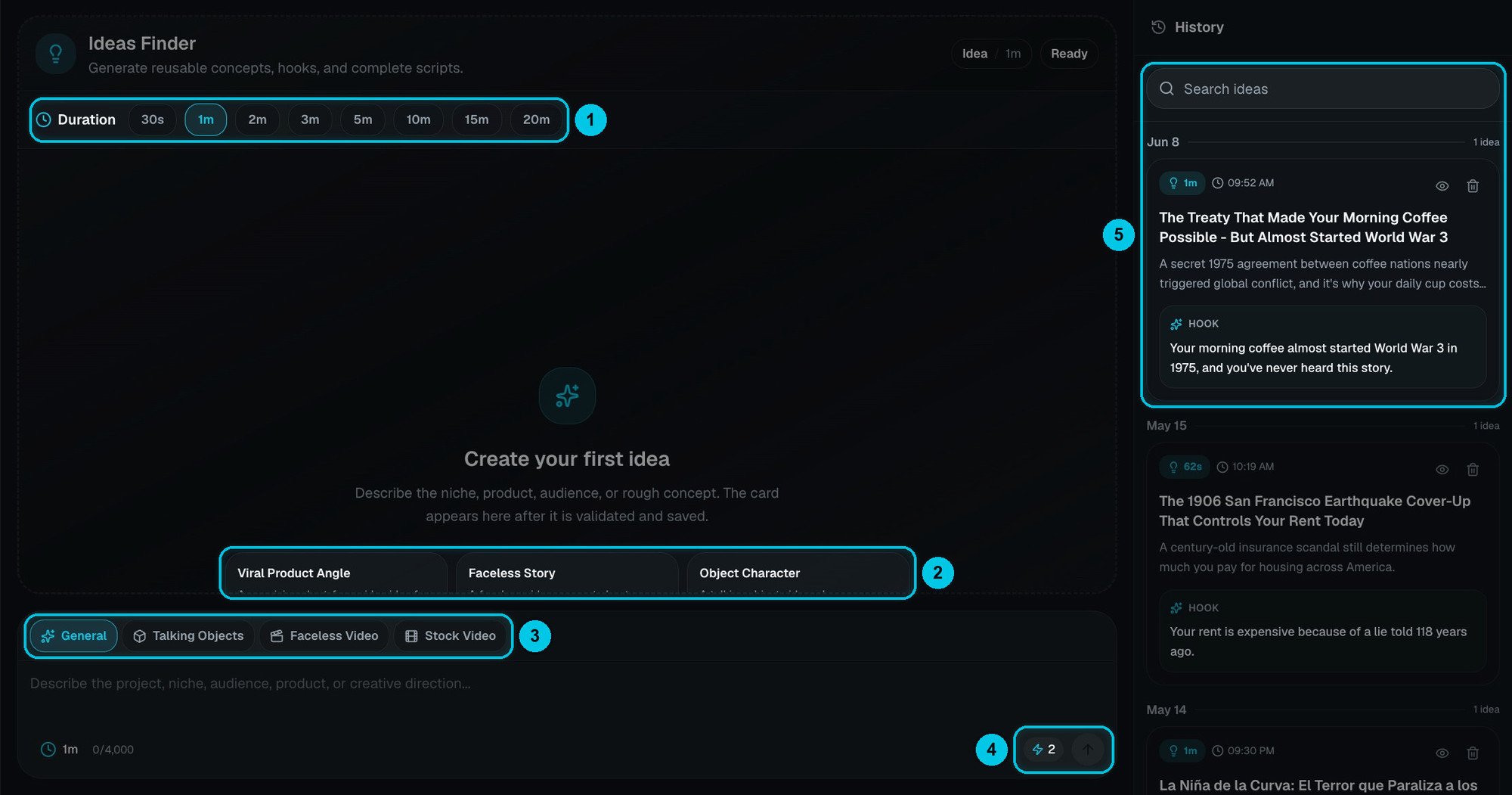
① Duration · ② Quick starts · ③ Format mode · ④ Cost and send · ⑤ History
Get an idea
1
Pick the length
Duration (①): 30 seconds, 1, 2, 3, 5, 10, 15 or 20 minutes. The script is written to fit — about 135 words per minute of video.
2
Pick the format
Under the canvas (③): General, Talking Objects, Faceless Video or Stock Video. Each mode writes for that format — a Talking Objects idea is told from an object’s point of view with dialogue from the first line; a Stock Video idea uses literal visuals that stock footage can cover.
3
Describe your niche
In the prompt box, up to 4,000 characters: your channel, product, audience or rough concept. The more context, the sharper the idea — “Personal finance for university students in the UK, practical, slightly funny”. Not sure where to start? Click a quick start (②): Viral Product Angle, Faceless Story or Object Character.
4
Send
The cost is next to the send button (④): 2 credits for ideas up to 3 minutes, 3 credits for 5 to 20 minutes.
What you get
Each idea opens as a card in the canvas: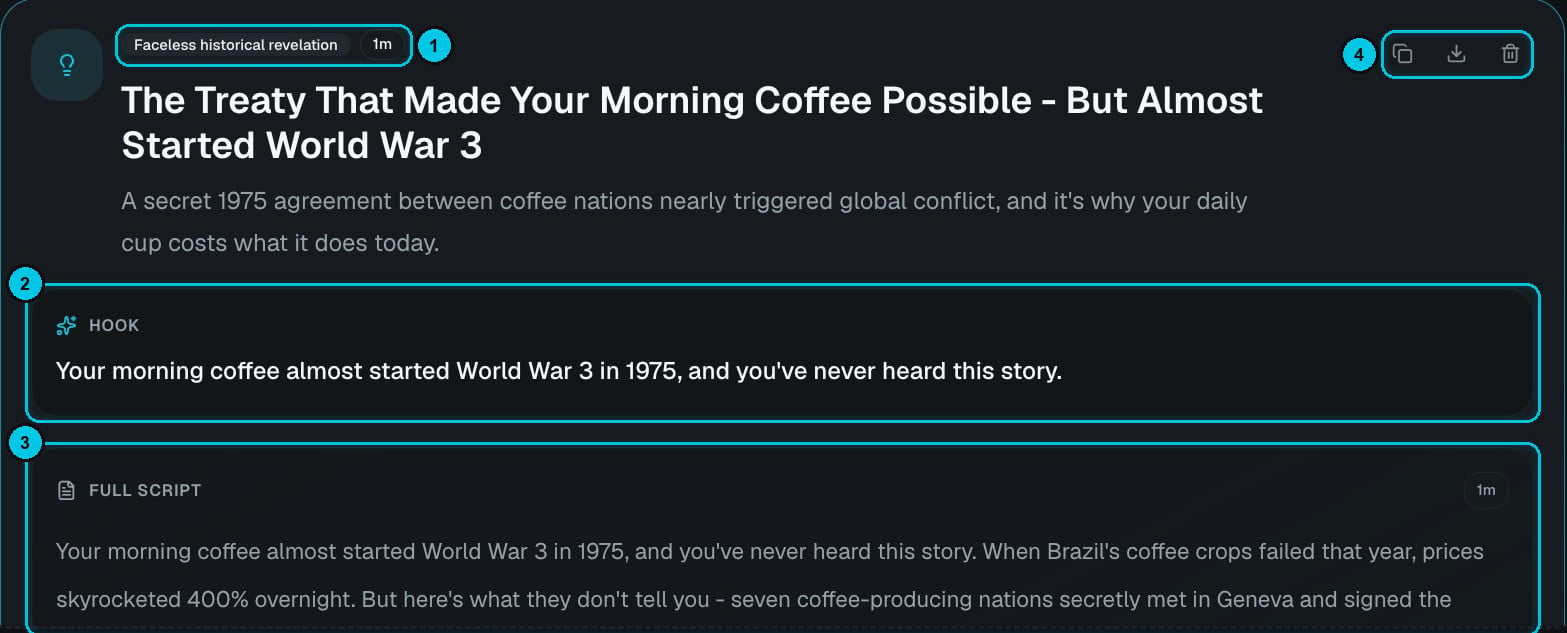
① Angle and length · ② Hook · ③ Full script · ④ Copy, download as TXT or delete
- Title and a one-line synopsis, tagged with the angle and the length (①).
- Hook (②) — the first line, written to stop the scroll.
- Full script (③) — the whole narration, ready to paste into Script to AI Story or any creator.
- Actions (④) — copy the idea, download it as a TXT file, or delete it.
Your saved ideas
Every idea is saved in History (⑤), grouped by date. Use Search ideas to find one, the eye icon to open it and the bin to delete it.Use ideas in videos
- From a creator — click Use Ideas Finder inside a video creator. Each card then gets a Use button that sends the idea straight into that creator.
- In Autopilot — add saved ideas to a series with Import from Ideas Finder in its sources. See Create a series.