

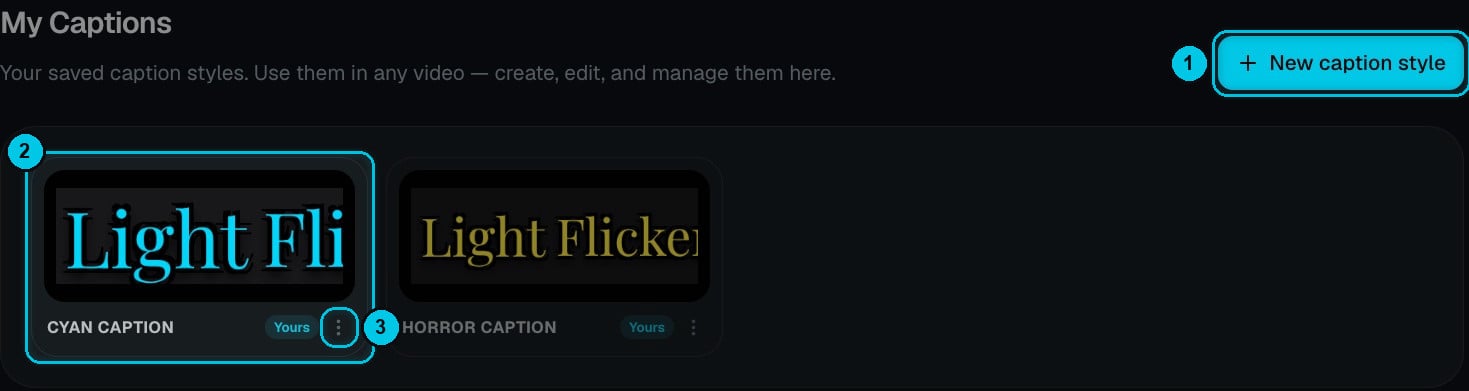
① New caption style · ② One of your styles · ③ Its menu
Create a caption style
There are three ways:- From scratch — click New caption style (①).
- From the editor — in the Captions panel, open Edit Style, tweak a style and click Save as new style.
- From a library preset — use Duplicate to My Captions on any of the 48 presets and customise the copy.
The style editor
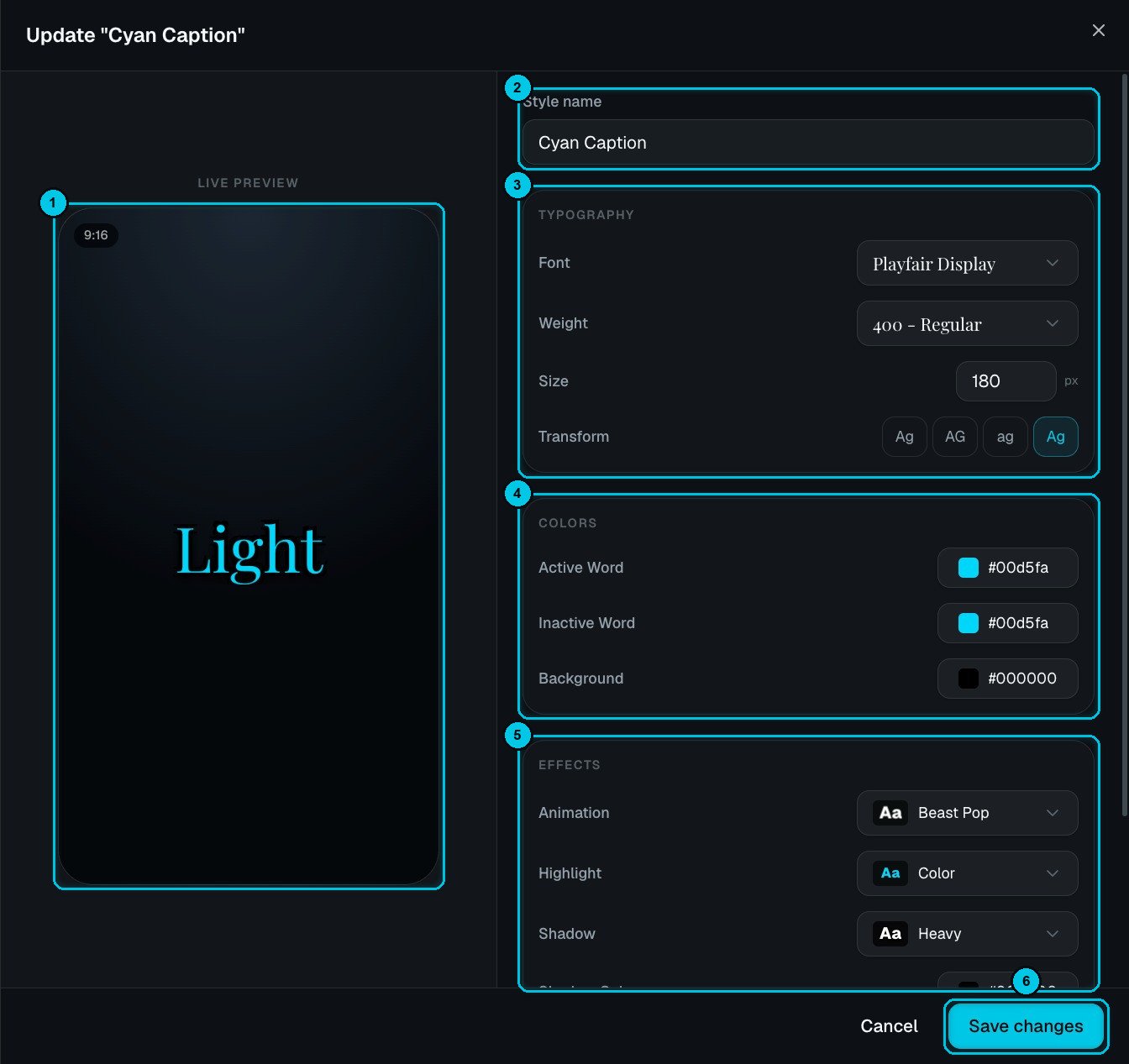
① Live preview · ② Style name · ③ Typography · ④ Colors · ⑤ Effects · ⑥ Save changes
- Typography (③) — font, weight, size and text transform (as typed, UPPERCASE, lowercase or Capitalised).
- Colors (④) — the active (spoken) word, the inactive words and the background.
- Effects (⑤) — the animation (for example Beast Pop), the highlight, the shadow and its color, and the stroke.
- Layout, further down — how many words appear at once and where the captions sit.
Manage your styles
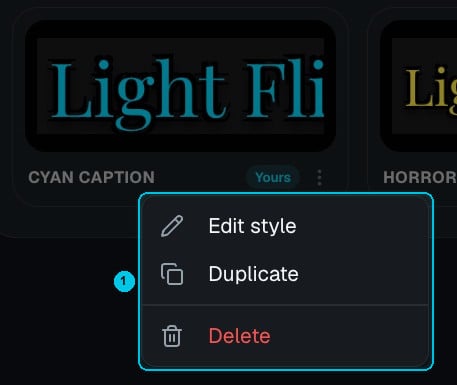
① Edit style, Duplicate or Delete
- Edit style — changes apply to every video you use it in next.
- Duplicate — make a variation without touching the original.
- Delete — remove styles you don’t need.