

Contact form
Write to the team from the website, or from Contact in the app’s account menu.
Discord community
Ask questions, share your videos and get tips from the team and other creators.
Video tutorials
Step-by-step walkthroughs on the Crealix YouTube channel.
These docs
Fixes for the most common issues, step by step.
What’s new
Crealix ships new features and fixes every week. Click the bell in the app’s top bar to see them.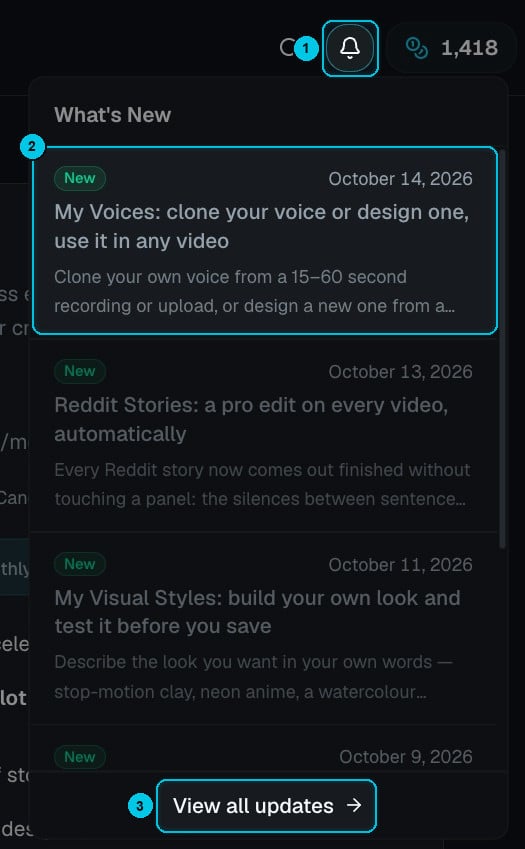
① The bell · ② The latest update, with its date · ③ View all updates
Get help faster
When you contact support, include:- The project name (and a share link if it’s about a video).
- What you did, what you expected, and what happened — including any error message.
- For publishing issues, the network and account involved.
- For billing questions, the email on your account and the date of the charge.
We’ll never ask for your password or full card number. Crealix accounts don’t use passwords — you sign in with Google or a one-time code.