

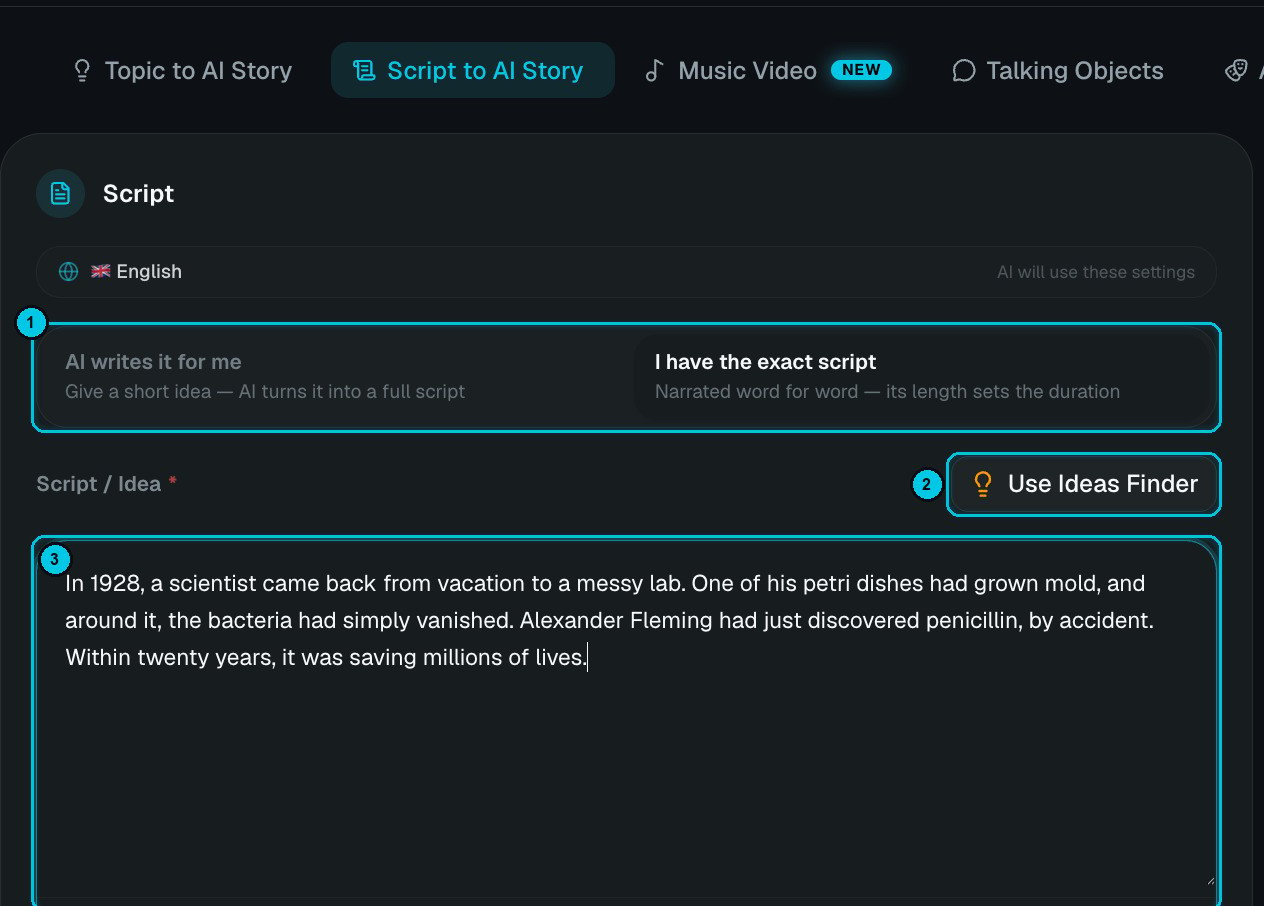
① Choose the mode · ② Use Ideas Finder · ③ Your script or idea
Two ways to start
- AI writes it for me
- I have the exact script
Give a short idea — a sentence or a paragraph — and the AI turns it into a full script timed to the duration you pick.
A night-shift security guard notices the mannequins have moved.The more you tell it (who, where, the twist, the tone), the closer the script will be to what you imagine. Use Ideas Finder (②) if you need inspiration.
Step by step
1
Write or paste your script
Pick AI writes it for me or I have the exact script (①) and fill the Script / Idea field (③).
2
Add characters (optional)
Up to 4 characters so recurring people look the same in every scene.
3
Choose format, quality and look
Aspect ratio, duration (only for AI-written scripts), narration language, AI image quality, visual style, voiceover, music and captions. See Common settings.
4
Pick the generation path and create
Images first (cheaper) or Full AI Video, then Create video.
Writing tips for exact scripts
- Open with the hook. The first sentence decides whether people stay: a question, a surprising fact, a promise.
- Write for the ear. Short sentences, one idea each. Read it aloud once before you paste it.
- Numbers and symbols are fine — “$2,000” or “1,500 years” are read naturally.
- About 150 words per minute is a comfortable pace. A 60-second Short is roughly 140–160 words.
- One paragraph ≈ one beat. Paragraph breaks help the AI split scenes where you’d expect.
- End with a payoff — a twist, a lesson or a question that drives comments.