

The preview panel and the estimate
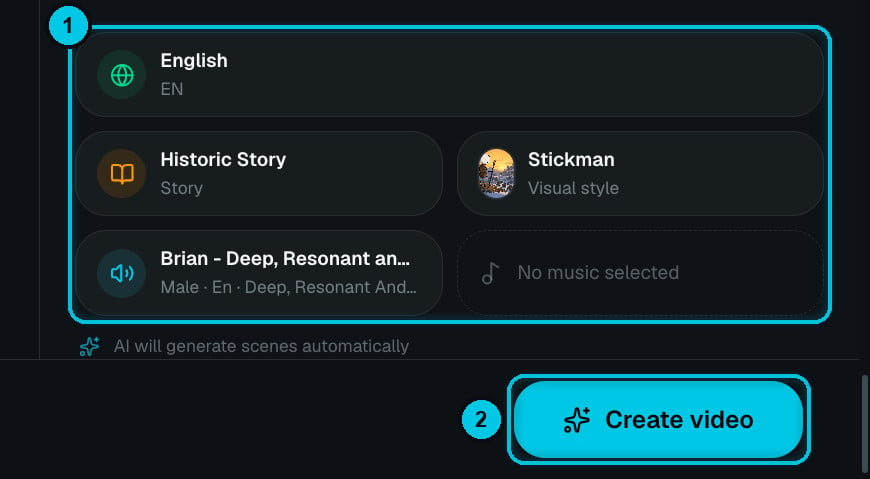
① Your choices at a glance · ② Create video

The estimate updates with every change
- Preview (right) summarises what you picked. Anything still missing shows as No … selected. Switch to Examples to watch finished videos made with the same format.
- Estimated generation cost (bottom bar) is what creating the video will reserve. When generation finishes, you’re charged on the real cost and the rest goes back to your balance. Rendering is charged separately when you export (or free in your browser). See How credits work.
Format and language
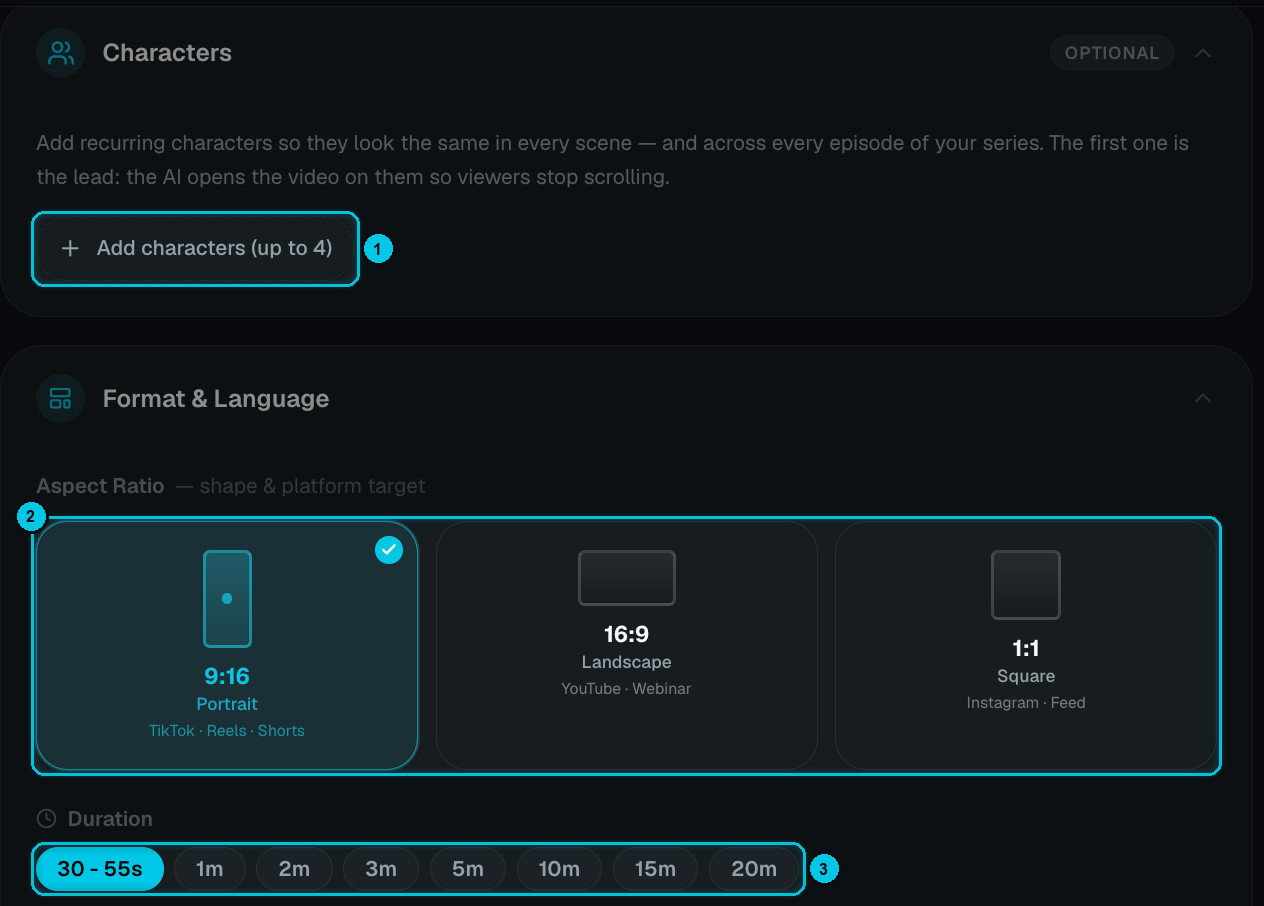
① Add characters · ② Aspect ratio · ③ Duration
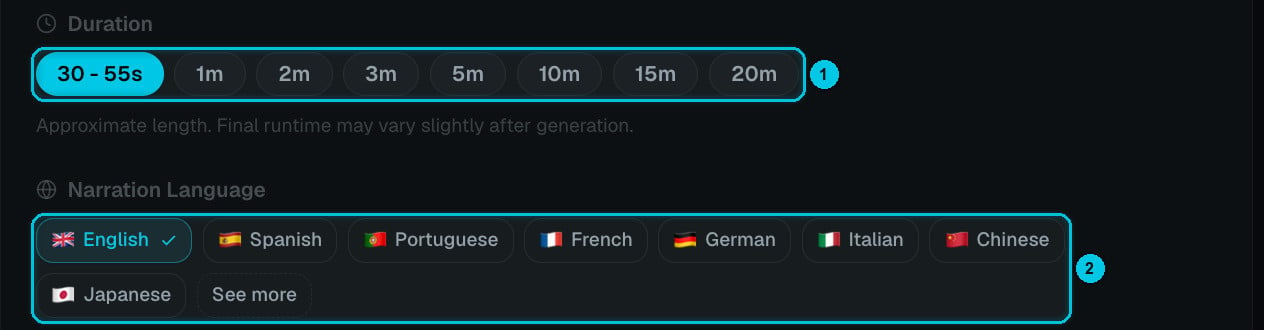
① Duration · ② Narration language
- Duration is a target. Narrated formats go from 30 seconds up to 20 minutes; the final length follows the narration, so it can vary by a few seconds. Formats with an exact script (Script to AI Story, Stock Video, Reddit Stories) take their length from your text instead.
- Narration language is the language the script is written and spoken in — 29 in total. The most common are shown first; See more opens the full list. Character formats (Talking Objects, AI Dramas, AI Movies, AI Skeleton) offer seven dialogue languages: English, Spanish, Portuguese, Korean, Japanese, Indonesian and Mandarin.
AI image quality
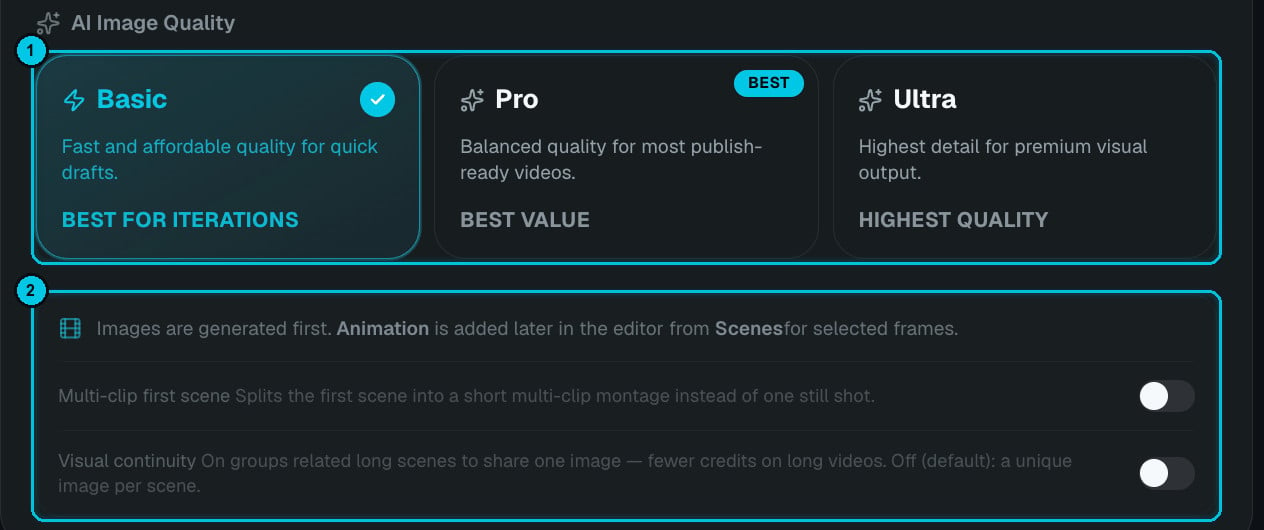
① Image quality · ② Extra options
Two switches sit below the tiers:
- Multi-clip first scene — the opening scene becomes a quick montage of shots instead of one still. A stronger hook for short-form.
- Visual continuity — consecutive lines that describe the same moment share one image, so long videos don’t change picture every few seconds (and cost less). Off by default.
Visual style
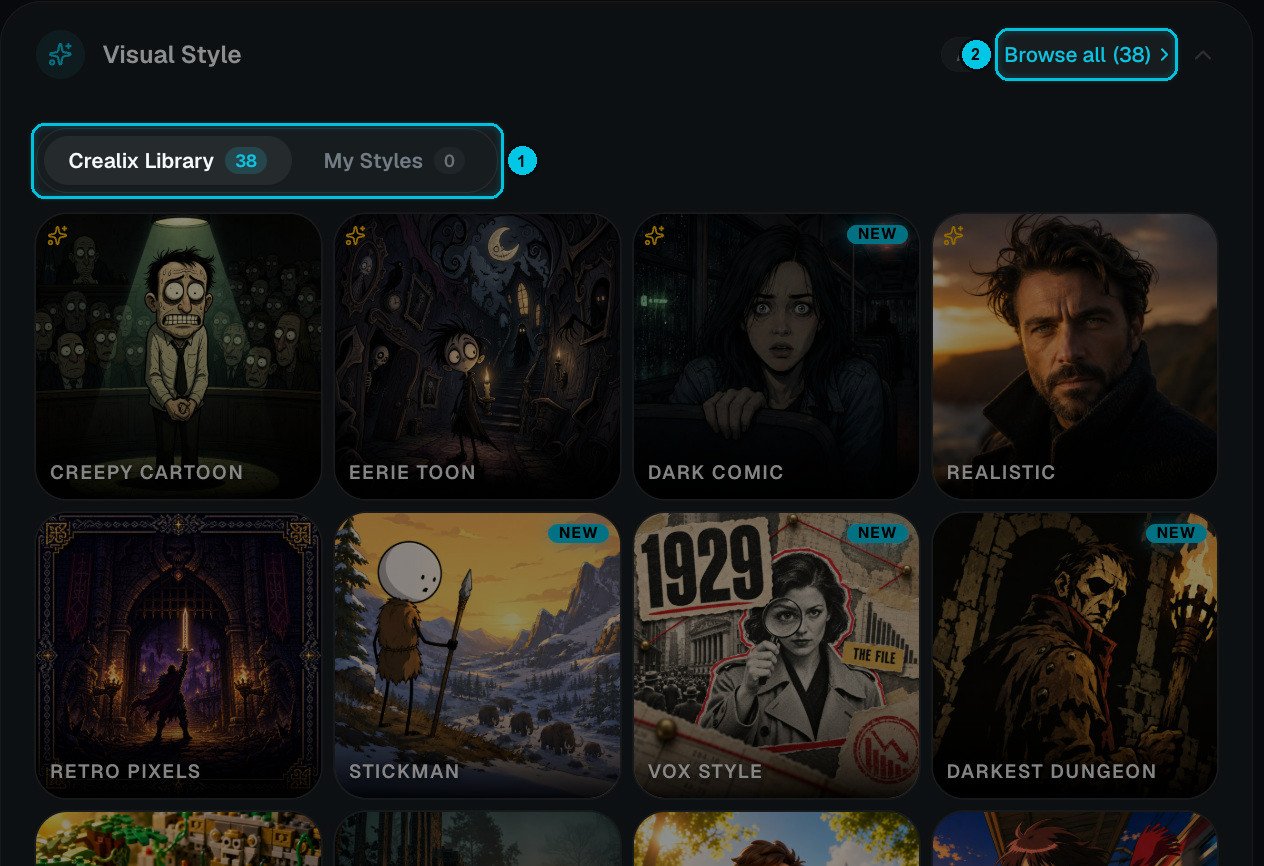
① Crealix Library / My Styles · ② Browse all styles
Voiceover and voice tuning
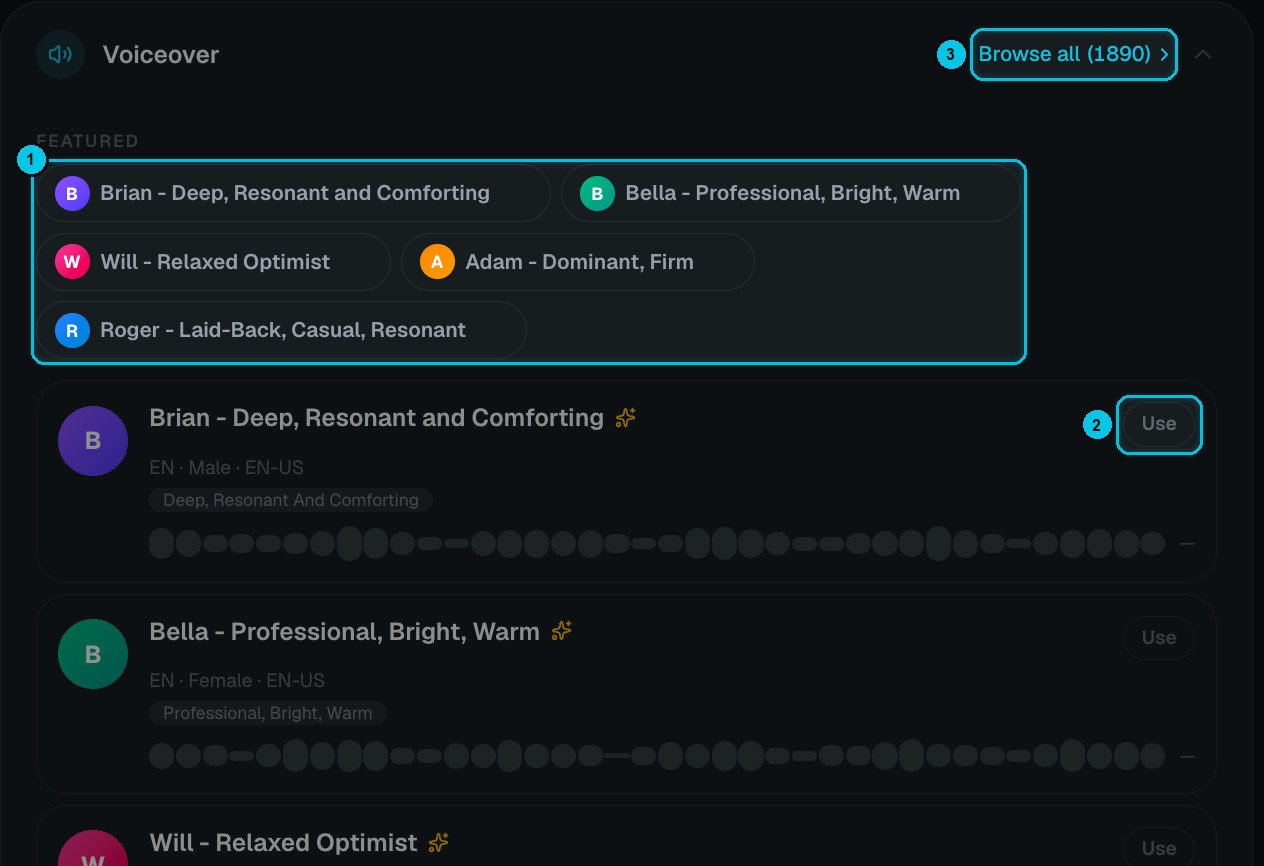
① Featured voices · ② Use · ③ Browse all
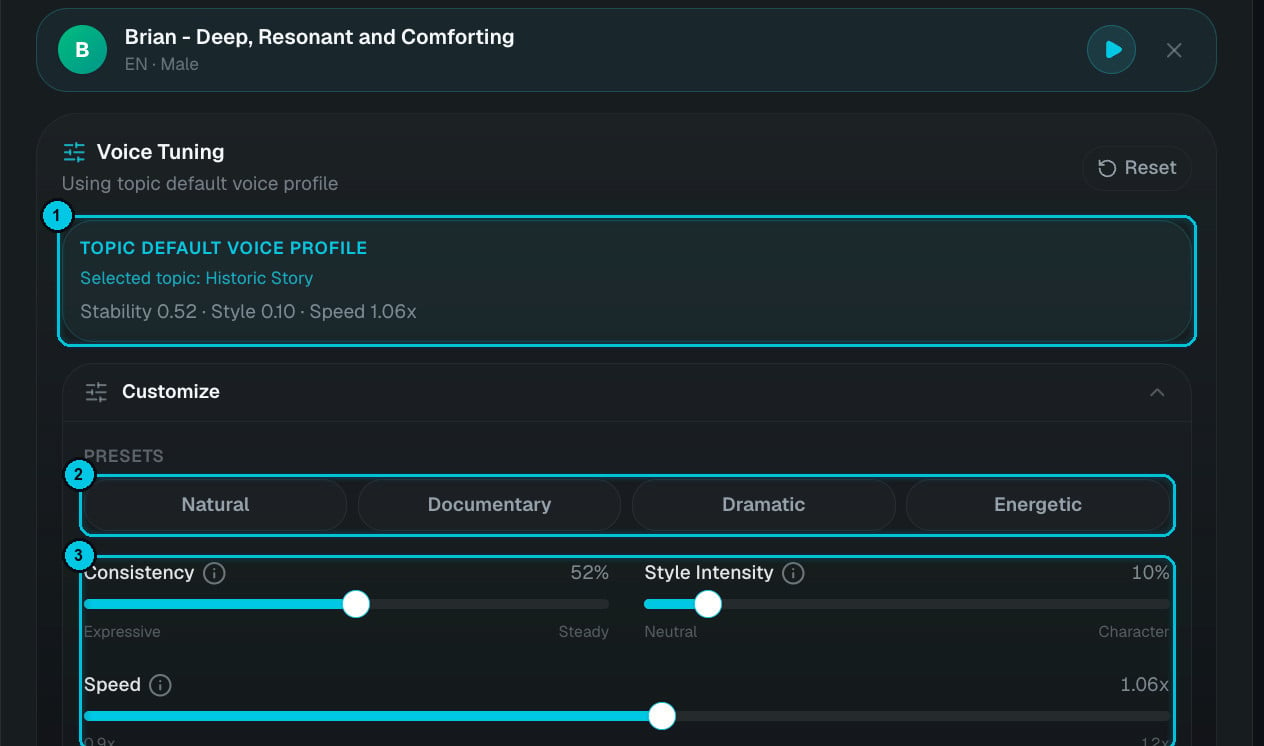
① Default profile · ② Presets · ③ Fine-tuning
- Default voice profile — delivery settings that suit the format or topic (calmer for history, tenser for horror) are applied automatically.
- Presets — Natural, Documentary, Dramatic or Energetic in one click.
- Consistency (expressive ↔ steady), Style intensity (neutral ↔ character) and Speed (0.9× to 1.2×).
- Preview voice plays a sample with your settings before you spend anything.
Background music and captions
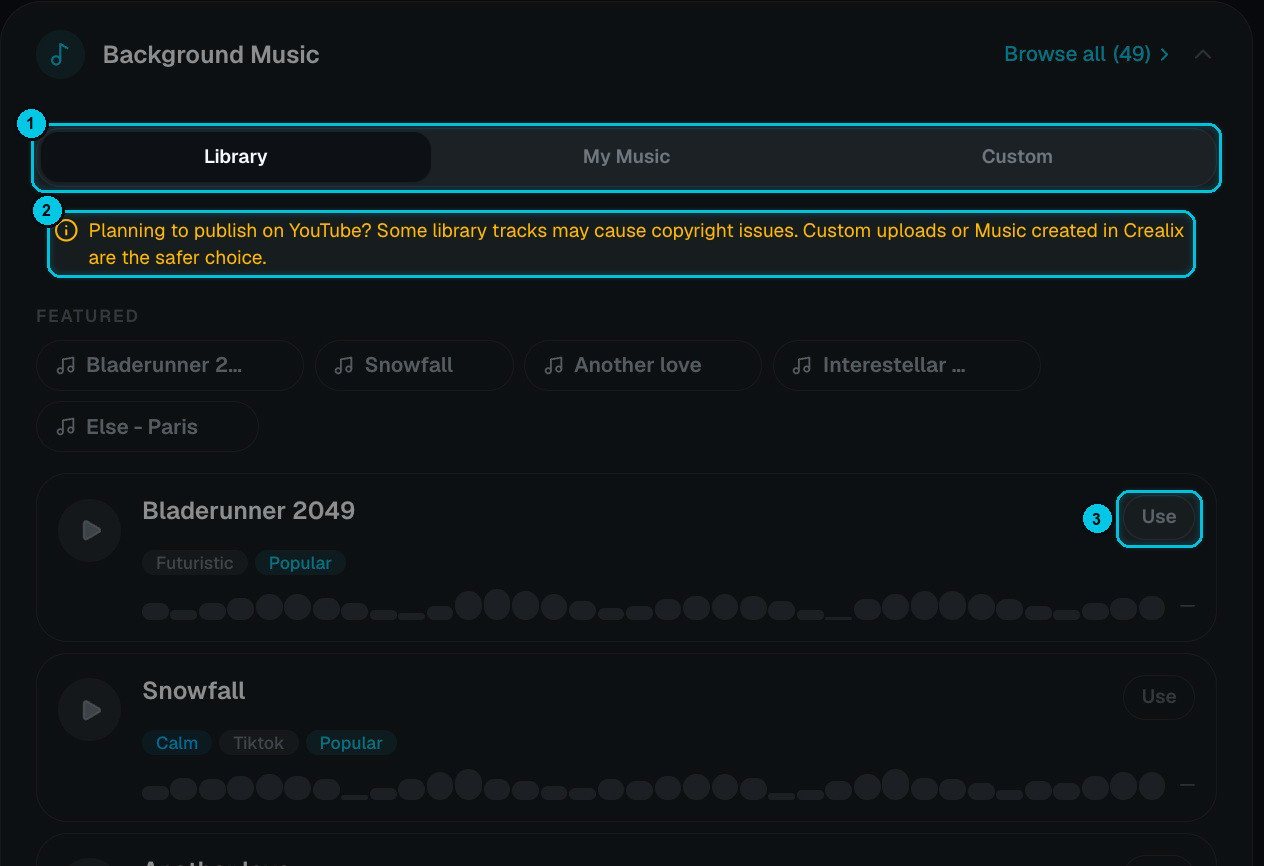
① Library / My Music / Custom · ② Copyright note · ③ Use
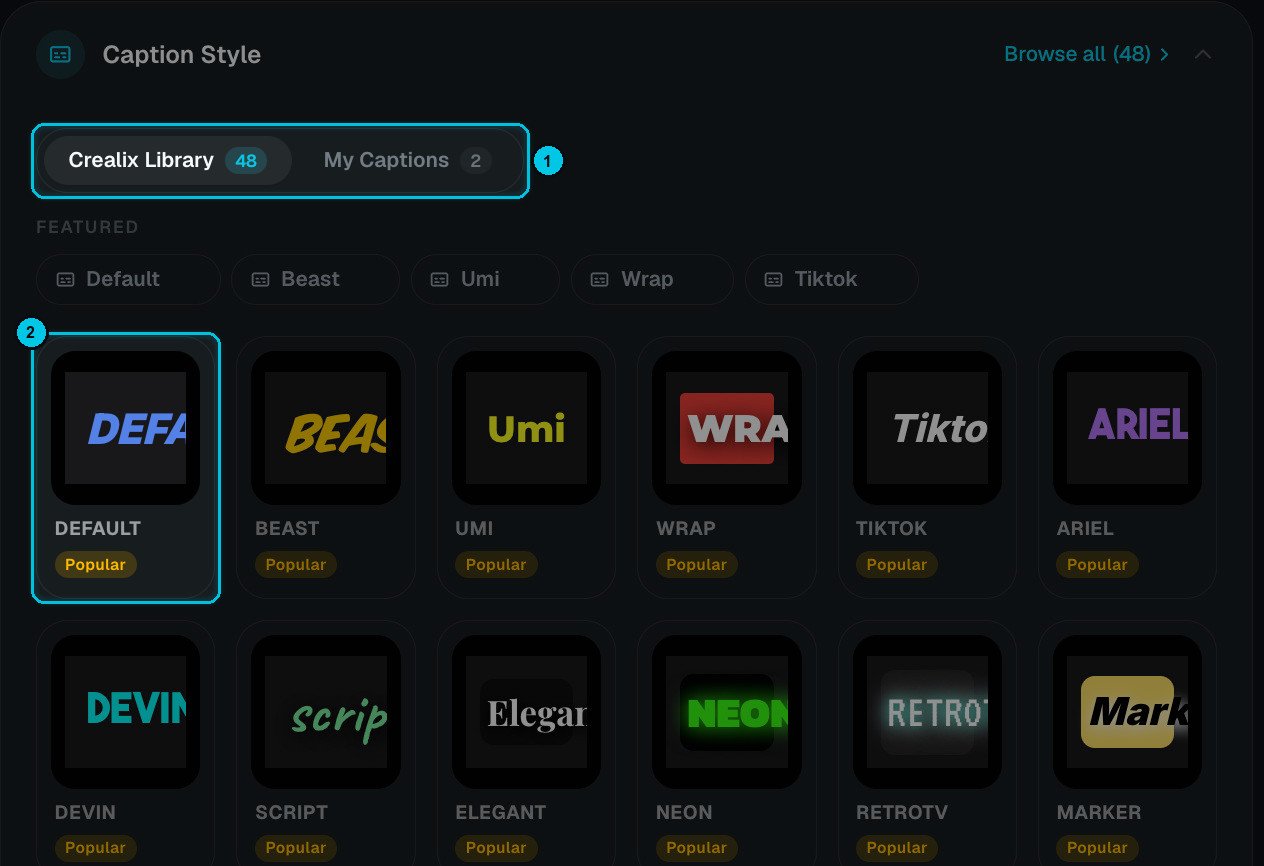
① Library / My Captions · ② Pick a style
- Background music — Library (49 curated tracks tagged by mood), My Music (tracks you made with AI Music or uploaded) or Custom (upload a file now). Library tracks can trigger copyright claims on YouTube; your own or AI-made music is the safe choice for monetised channels.
- Caption style — 48 animated presets (Elegant, Neon, RetroTV, Marker…), plus any you saved in My Captions. Both can be changed later in the editor without regenerating anything.
Characters
Add characters (up to 4, or 6 in AI Movies) to keep the same people — or mascots — looking the same in every scene and every episode. The first character is the lead: the story opens on them. Characters come from your Characters library, where you create and edit them.Generation path
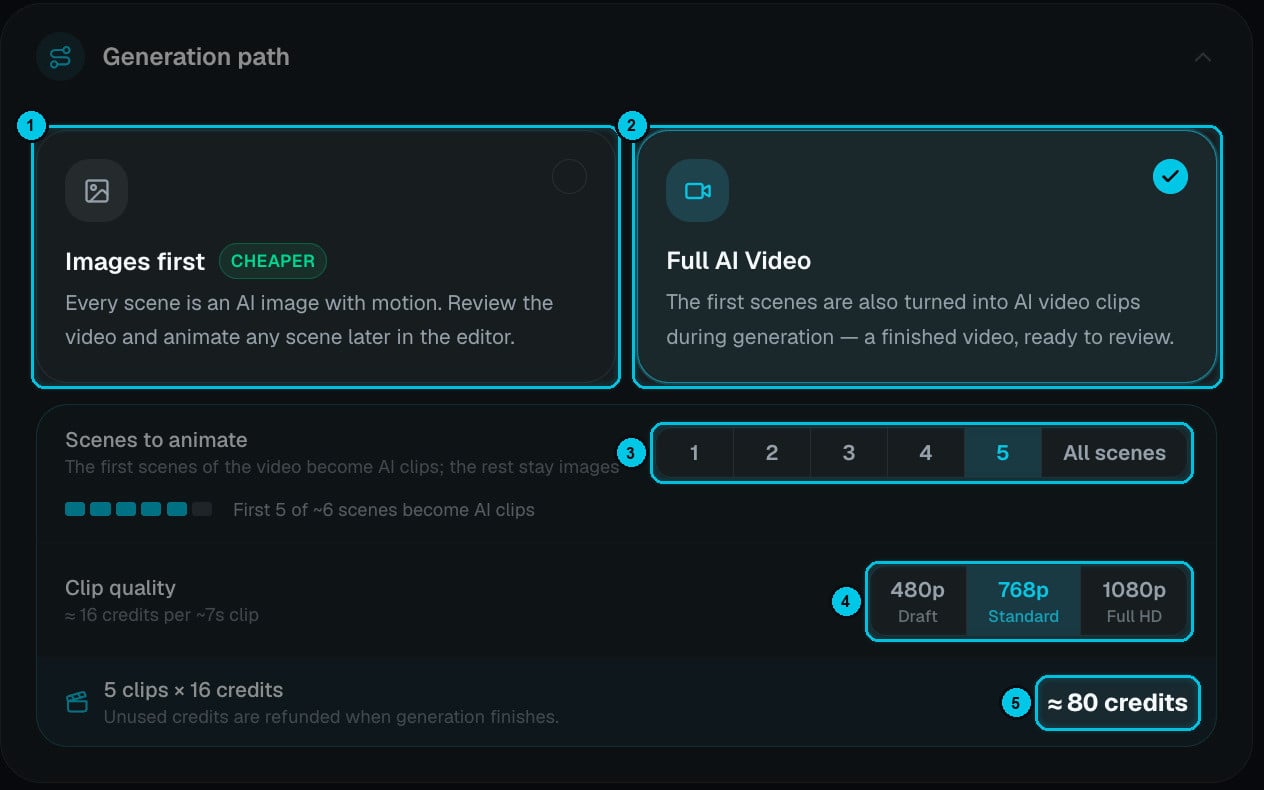
① Images first · ② Full AI Video · ③ Scenes to animate · ④ Clip quality · ⑤ Estimated cost
- Review-first — every scene is an AI image (with camera motion) and a prepared video prompt. Watch the result, regenerate what you don’t like, then animate the scenes you want — one by one or all at once — from the editor. You never pay for a clip you didn’t approve.
- Straight to video — scenes are animated during generation, with native audio where the format supports it, and the video is finished automatically. In Topic and Script to AI Story you choose how many scenes to animate (③, from the first one to all) and the clip quality (④: 480p draft, 768p standard or 1080p full HD).
Credits are reserved when generation starts and settled on the real cost when it finishes. If a clip fails or isn’t needed, its credits go back to your balance automatically.