

Step by step
1
Style the cards
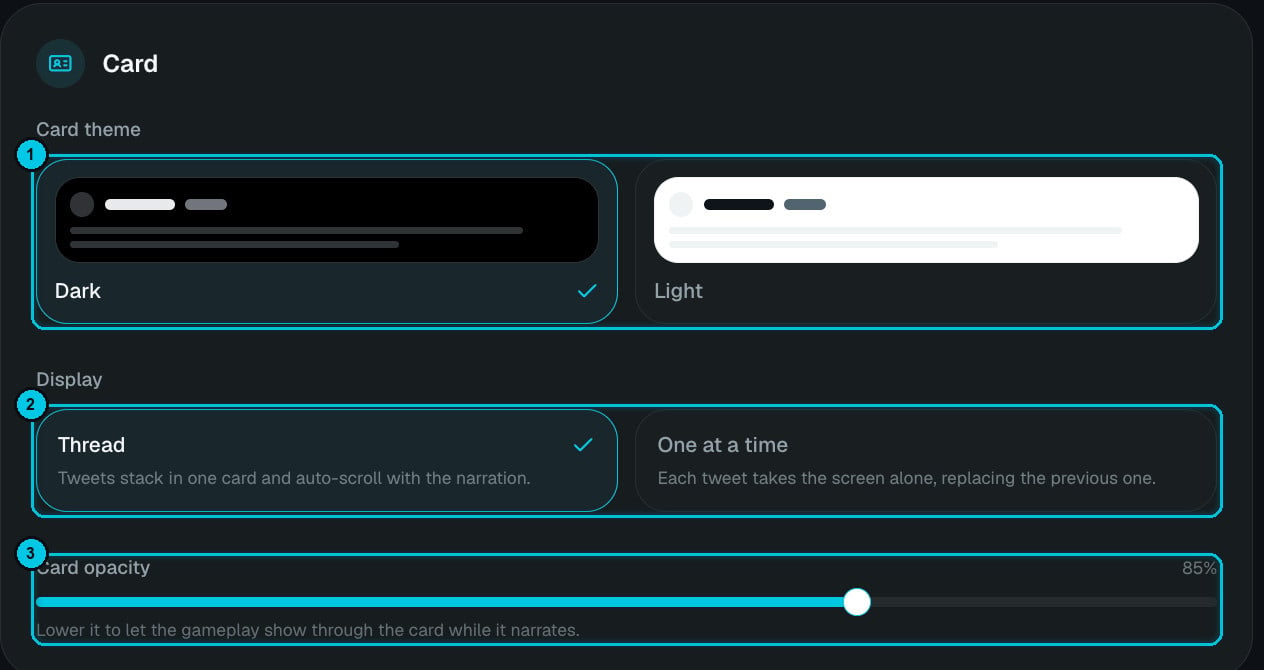
① Card theme · ② Display · ③ Card opacity
- Card theme — Dark or Light.
- Display — Thread (tweets stack in one card and auto-scroll with the narration) or One at a time (each tweet takes the screen alone, replacing the previous one).
- Card opacity — lower it to let the gameplay show through the card while it narrates.
2
Choose format and language
9:16, 16:9 or 1:1 and the narration language.
3
Write the thread — or let AI do it
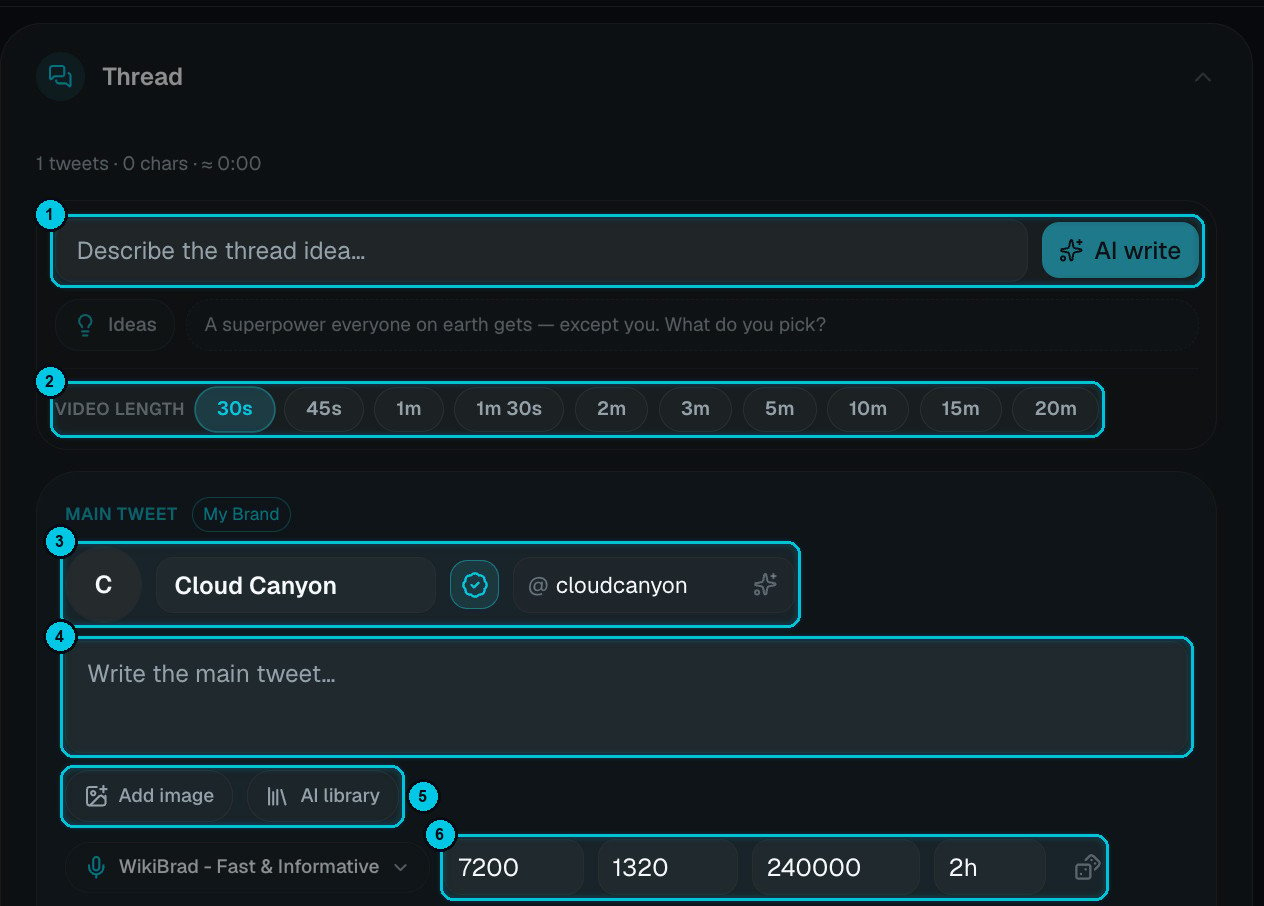
① Describe the idea + AI write · ② Video length · ③ Author · ④ Main tweet · ⑤ Image · ⑥ Metrics
- Author (③) — avatar, display name, Verified badge and @handle. The My Brand badge means it’s pre-filled from your My Brand identity; the sparkle generates a handle from the name.
- Text (④) — what the tweet says and the narrator reads.
- Image (⑤) — Add image from your device, or pick one from the AI library.
- Voice and metrics (⑥) — the voice for this tweet, plus likes, replies, views and when it was posted (2h). The randomize button next to them fills random, believable numbers.
4
Narration, background, music and captions
Tune the narration (for example Energetic at 1.12×), pick the background gameplay and music, and a caption style. Then Create video.
Writing a thread that holds attention
- The main tweet is the hook — a bold claim or a question: “Gym myths you still believe in 2026 🧵”.
- One idea per reply, short enough to read on one card.
- Mix voices in debate threads so viewers can tell people apart by ear.
- End with a reply that invites comments — “Which one did you believe?”
If you edit the thread after the narration was recorded, the editor warns you — click Regenerate voice so the audio matches the tweets again.