

Create a Studio project
Click + From Scratch at the top right of the creator, or Start from scratch in All tools.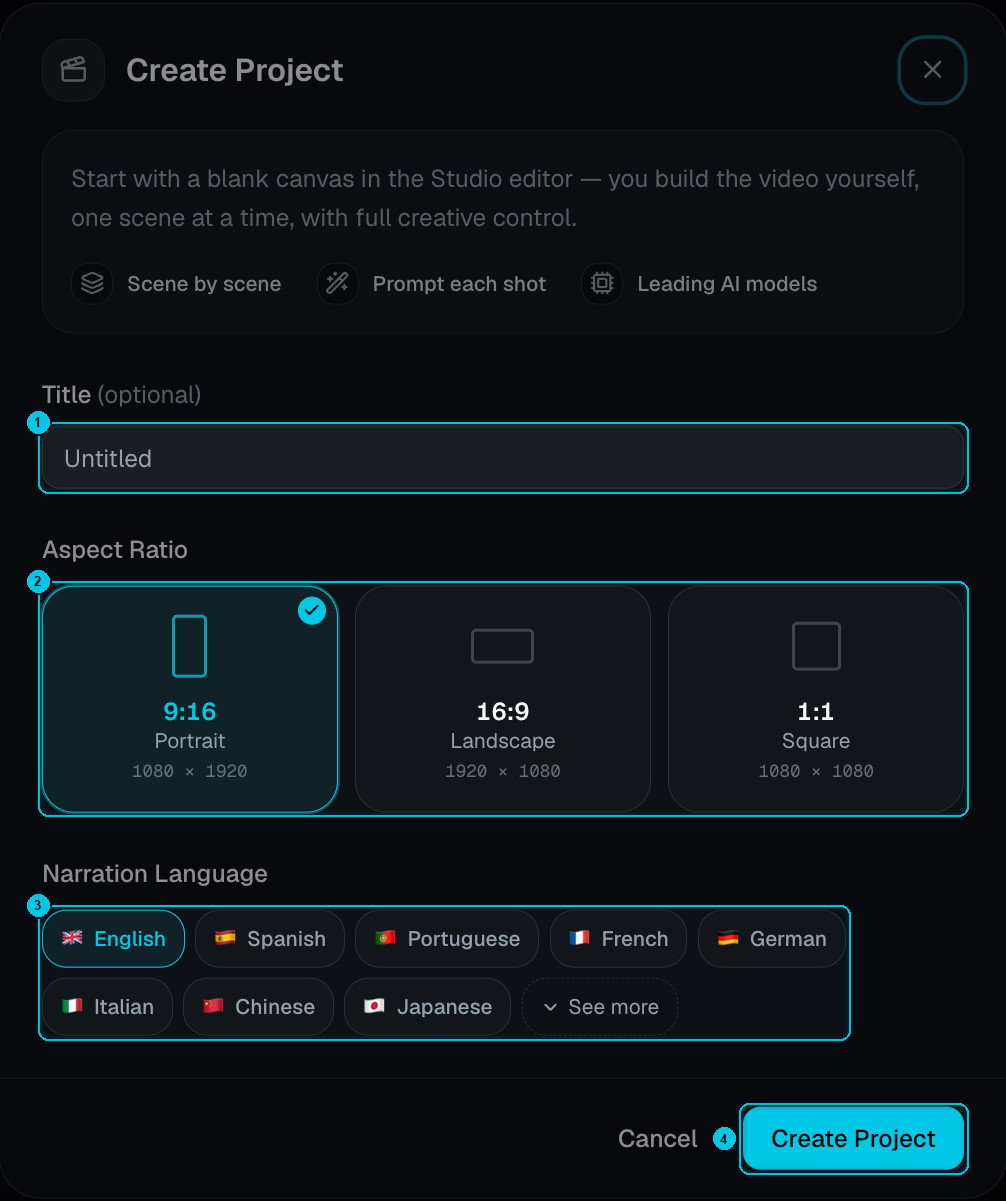
① Title · ② Aspect ratio · ③ Narration language · ④ Create Project
- Title (optional) — you can rename it later.
- Aspect ratio — 9:16 portrait (1080 × 1920), 16:9 landscape (1920 × 1080) or 1:1 square (1080 × 1080).
- Narration language — the language of any lines you’ll voice. See more opens the full list.
Build scene by scene
1
Add a scene
Click New scene in the Scenes panel, or + between two scenes to insert one.
2
Write the line (optional)
Type what the narrator says in this scene and generate the voice — 1 credit per scene. Pick the voice and delivery in the Voiceover panel. Leave the line empty for a silent or music-only scene.
3
Create the media
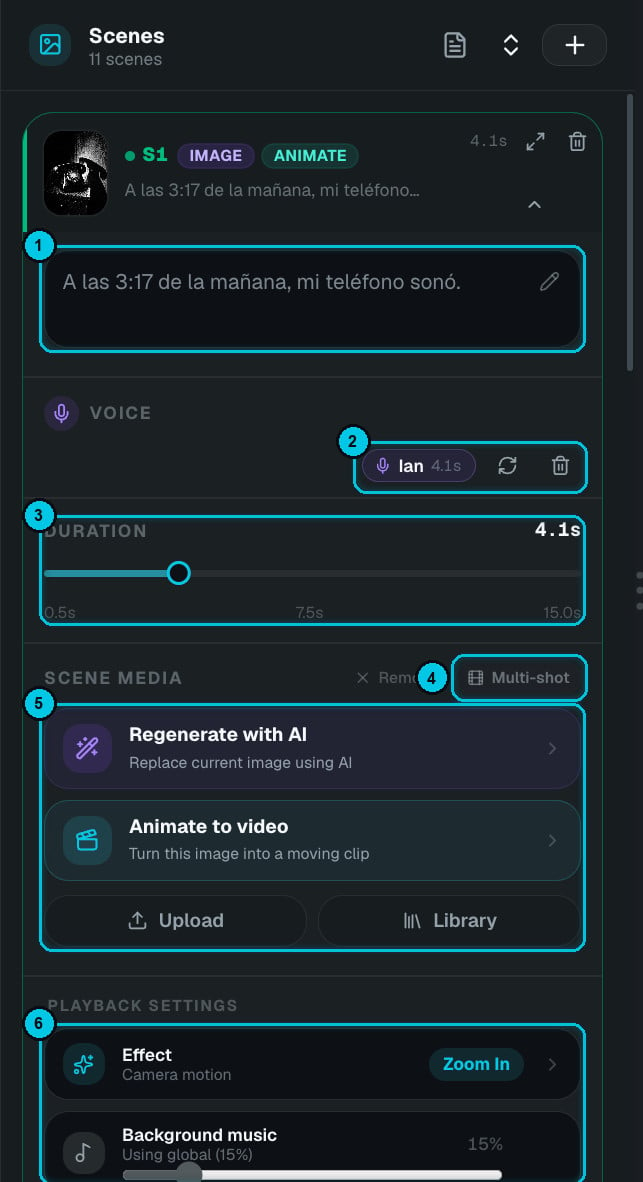
① Text · ② Voice · ③ Duration · ④ Multi-shot · ⑤ Scene media · ⑥ Playback
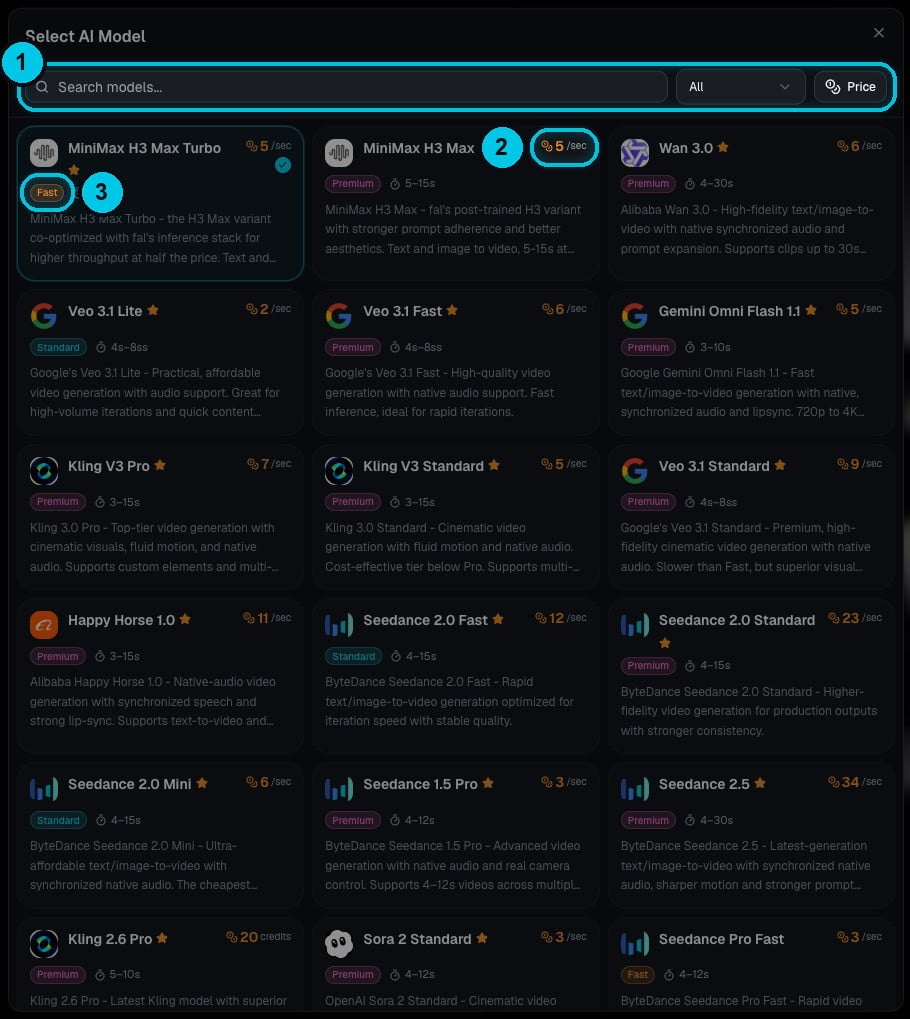
① Search, filter and sort · ② Price per second · ③ Tier
- Generate an image from a prompt — GPT Image 2.5 Flare Medium costs 3 credits, or pick another image model.
- Animate it into a clip with any video model — Veo, Kling, Seedance, MiniMax, Wan, Sora and more. The picker shows each model’s price per second, tier and supported lengths.
- Upload your own image or video, or pick something from your library.
4
Arrange and finish
Set each scene’s duration (0.5–15 s), camera effect and transition, drag scenes to reorder them, and add captions, music, sound effects, text overlays and your logo — everything in the editor works here. Then render.
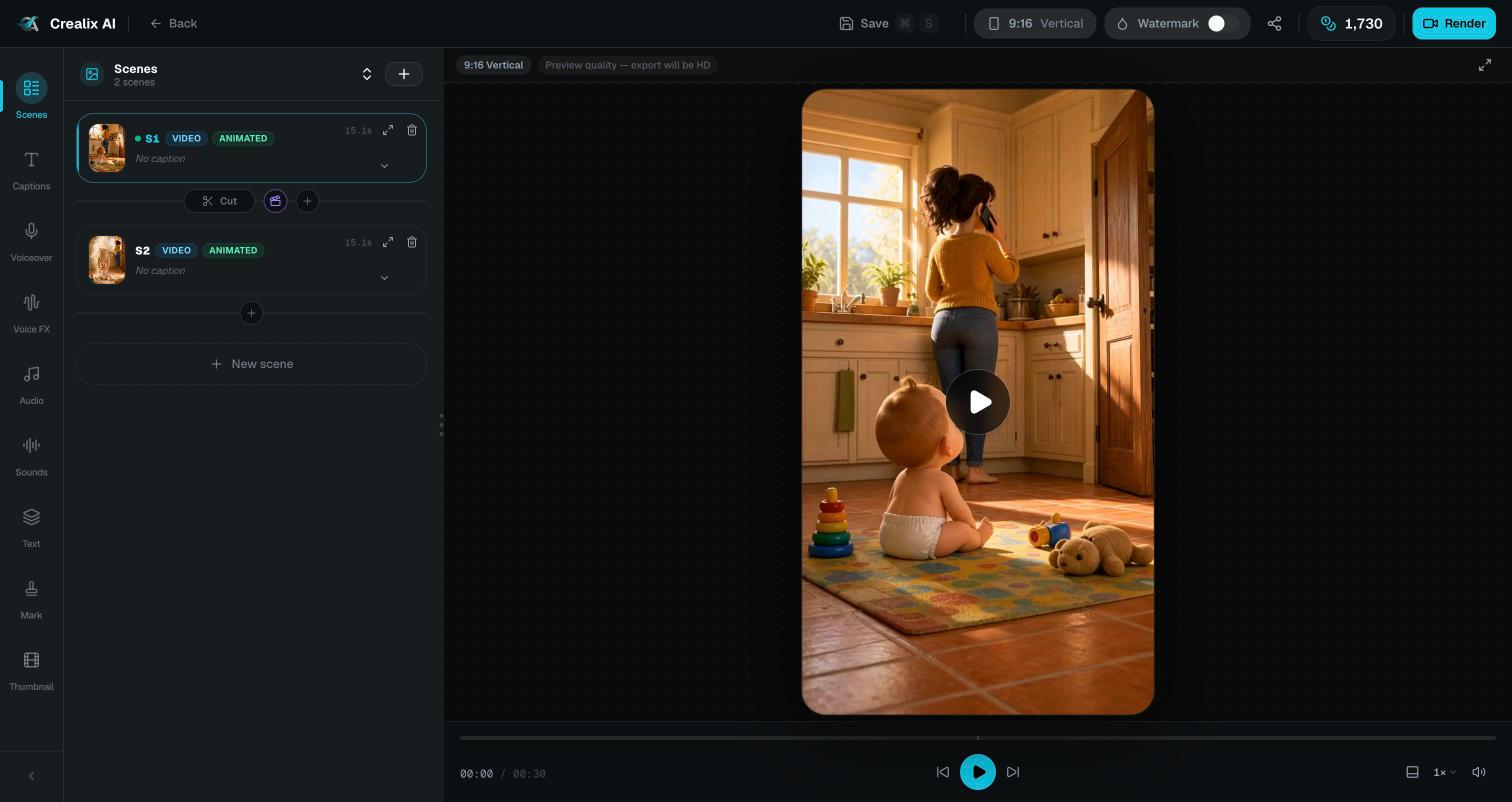
A Studio project with two animated scenes