

Stock Video pairs a narrated script with real, licensed stock footage chosen to match every line. No AI images are generated, so it’s fast and you only pay for the narration. Best for: motivation and quotes, business and finance, travel, lifestyle, wellness and explainer channels — anything where real-world footage looks more natural than illustration.
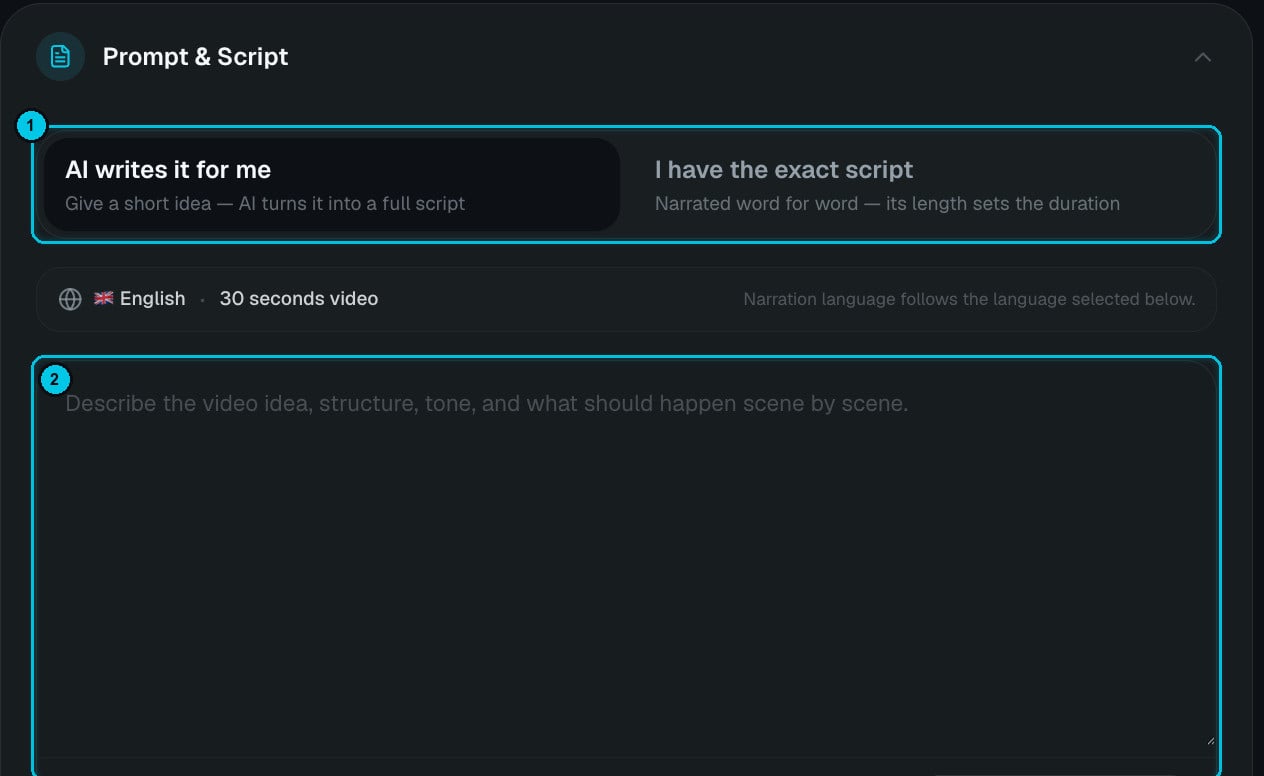
Stock Video with the two script modes and the prompt field

① AI writes it for me / I have the exact script · ② Your idea or script

Step by step

1

Write the prompt or the script

  • AI writes it for me — describe the video idea, its structure and tone, and what should happen scene by scene. The AI writes a script timed to your duration.
  • I have the exact script — paste your own text (up to 5,000 characters). It’s narrated word for word and its length sets the video’s length.
Use Ideas Finder for inspiration. The bar above the field (English · 30 seconds video) reflects the language and duration you pick below.
2

Choose the format

Aspect ratio (9:16, 16:9 or 1:1), duration (15 seconds to 20 minutes) and narration language.
3

Pick the voice, music and captions

The same sections as every narrated format — see Common settings.
4

Create

Crealix writes (or uses) the script, records it, splits it into scenes and finds matching footage for every scene.

Prompt examples

Cost

You pay for the narration only — the footage is included. A 60-second video is roughly 150 words of narration. Rendering is free in your browser or charged by length in the cloud.

Edit the footage

In the editor, replace any scene’s footage with your own upload, something from your library, or an AI image or clip. The footage always covers the whole narration — short clips loop seamlessly — so there are no black gaps, even in 20-minute videos.
Daily motivation and quote channels are a natural fit for an Autopilot series — there’s a Daily motivation template ready to go.